
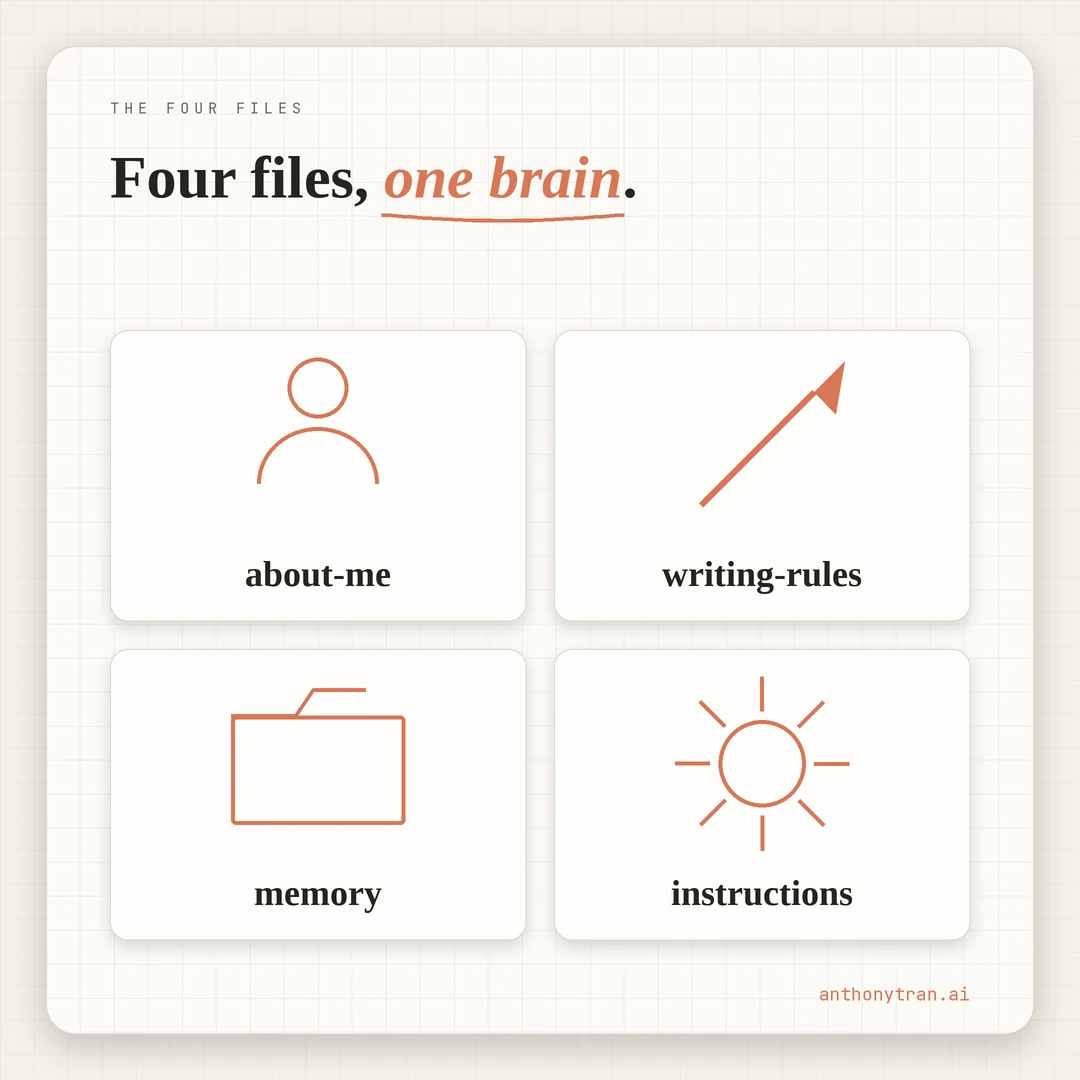
Four markdown files. Built once. Loaded into every session. The highest-leverage thing in my AI workspace, and it is not even close.
Why these four files exist
Most people start every Claude session with the same opener.
“I am a marketer who runs a small business…” or “Help me write a blog post for my brand which is about… Then they paste in some context.
Then Claude generates something. Then they tweak.
Then they close the session and start over the next morning, retelling Claude the same context all over again.
That is the bug. Every new session, you reintroduce yourself to a smart stranger.
The fix is four files in your workspace, set up to load at the start of every session. Once they exist (and your tool is pointed at them, more on that below), Claude opens already knowing who you are, how you write, what is going on in your projects, and how you want to be worked with. You skip the reintroduction every time.
I built mine on the same Saturday I set up my whole AI workspace in one day. They have been the highest-leverage thing in the system since.
Not the cleverest prompt. Not the latest model.
Not any of the trendy AI tricks I see scrolling through productivity content. Four boring markdown files in a folder.
File 1: about-me.md (who you are)
This is the truth file. Where you have been.
What you do. Who you serve.
What you are working on. The kind of context you would tell a new hire on day one.
Mine includes my career arc, the businesses I run, my audience, my values, and a long-form origin story I wrote with help from Claude on day one. I update it when something material changes.
New role. New business.
A scene from my life that I want available across future content sessions.
The trap: writing it like a LinkedIn bio. Vague, polished, useless.
Make it specific. Real numbers.
Real names. Real years.
The version a friend would write about you, not the version your résumé wants. Claude reads it and pulls the right specific into the work without you having to retype it.
File 2: writing-rules.md (how you talk on the page)
This is the voice file. The phrases you use.
The phrases you never use. The banned words list.
The way you start sentences. The way you sign off.
Mine has ten rules. No em dashes.
No corporate jargon. Short sentences always.
Tilde signature on emails. A list of banned phrases that includes “delve,” “dive deep,” “game changer,” “thought leader,” and a dozen more.
Plus a section per business with the voice tweaks for each, since the warm-and-grateful client voice for one business is different from the more professional voice for another.
Without this file, every long-form piece comes back sounding like generic AI. With this file, the output reads like you on a Saturday morning at the kitchen table. The voice file is the difference between “AI wrote this for me” and “I write with AI.”
File 3: memory.md (the running context)
This is the live file. Active projects, current decisions, what is working, what is parked, what is next. The only one of the four you update most often.
Mine tracks the state of every business I run. What is live.
What is paused. What I shipped this week.
Lessons learned I do not want Claude to forget. Open questions I have not solved yet. Past mistakes I do not want to repeat.
The trap: turning it into a journal. Memory.md is current state, not a diary.
Old context that is no longer load-bearing gets archived to session logs. The active file stays focused on what matters this week.
When I open a new Claude session, this is the file that lets Claude know I shipped a blog post yesterday, that there is a client call next week, that one project is paused while another is the priority. Without it, every session starts five steps back.
File 4: global-instructions.md (how you want Claude to work with you)
This is the behavior file. How Claude should communicate with you.
What to never do. What is off-limits. The rules of engagement.
Mine includes things like: talk like a smart friend, never an assistant. Get to the point.
Never delete a file without asking. Never send an email without showing me the draft.
Never publish without my approval. Stay away from a short list of topics I have flagged as off-limits. Update memory.md after every session.
This is the guardrail file. Without it, Claude might run a destructive command, ship a draft you have not seen, or write content that crosses a line. With it, Claude has clear rules of engagement before the work starts.
One caveat. Rules in this file guide behavior.
They do not enforce it. For tools that can edit files or run commands on your computer, also use the permission settings or approval prompts your tool offers.
Behavior plus permissions is the real safety net. Instructions alone are not.
Where to keep them
The files need to live somewhere Claude actually reads at the start of every session. The exact setup depends on which Claude tool you use.
Just dropping markdown files in a folder is not enough on its own. You also have to tell Claude where to find them.
If you use Claude Code (or a similar workspace tool that runs against a folder on your computer), the entry point is a small CLAUDE.md file at the root of your folder. That is the file the tool reads automatically.
Inside CLAUDE.md, you point at the four foundation files so they get pulled into context. Mine is essentially a folder map plus a “read these four files first” instruction.
The four foundation files live in a Context/ subfolder. The CLAUDE.md pointer file at the root is what makes them load.
Mine started simple. A regular folder on my Desktop with the four markdown files inside.
I gave my Claude tool access to that folder. Every session, the tool read the CLAUDE.md at the root, which told it to read the four files first.
Over time the folder grew. Now it has subfolders for each business, processed knowledge articles, session logs.
But the four files at the heart of it are the same four. The setup did not get more complex. Just bigger.
If you use Claude projects on the web, upload the four files into the project knowledge and paste your most important behavior rules into the project instructions field. Both are read across every chat in that project.
Either way, the rule is the same. Write once.
Reference clearly. Reuse everywhere.
A quick warning on what NOT to put in these files. They often hold personal history, business details, audience research.
Do not paste in passwords, API keys, private client data, or anything you would not want a teammate to see if your account is shared. Treat them like a personal notebook you keep on your desk, not a vault for secrets.
Keep them focused. If they grow into encyclopedias, Claude will skim and waste context window on irrelevant detail.
Trim regularly. Archive what is no longer load-bearing into a separate “history” file you do not auto-load.
Put This Into Practice
If you do not have these four files yet, you can build them in one focused session.
Block one to two hours. Open Claude. Paste this in.
I am building four foundation files for my AI workspace. Walk me through each one in order. Wait for my full answer at each step before moving to the next. Push me on vague answers.
File 1, about-me.md. Ask me to tell you the long version of who I am, where I have been, what I do now, who I serve, and what I am working on. When I am done, draft about-me.md with everything I told you, structured cleanly.
File 2, writing-rules.md. Ask me twenty questions about how I talk. Phrases I use. Phrases I never use. Examples of writing I love and writing that makes me cringe. Words I want banned. After I answer, draft writing-rules.md as a clean voice rulebook I can paste into future sessions.
File 3, memory.md. Ask me what I am working on right now across all my projects. What is shipped. What is paused. What is next. Anything I do not want to forget. Draft memory.md as a current-state snapshot I can update going forward.
File 4, global-instructions.md. Ask me how I want you to communicate with me. What should you never do without asking. What topics are off-limits. What is my preferred working style. Draft global-instructions.md as the behavior rulebook for our future sessions.
When all four files are drafted, save them in one place where I can keep updating them.
Save the four files somewhere you will actually open them again. Commit to loading them at the start of your next session. The compounding starts immediately.
The first session you have on top of these files is going to feel different. Claude will catch banned words you forgot about.
It will pull the right specific from your career into a piece without you retyping it. It will reference something on memory.md without you having to set it up.
Why boring beats clever
This is not a clever AI productivity trick. There is no special prompt, no power-user setup, no model fine-tuning.
Four markdown files in a folder. The reason it works is that it removes the single biggest leak in most people’s AI workflow. Starting from zero every session.
A few days in on top of my own four files, the difference was already visible. Claude opened sessions already up to speed on what I had shipped and what was paused.
Not because Claude got smarter. Because Claude no longer had to relearn me every time we opened the laptop.
The bigger move underneath
The longer this setup runs, the bigger the move becomes. The four files are not just a workflow hack. They are the start of an external memory for the AI you work with.
I call my folder my AI Brain. It is mine.
But Claude reads from it like its own. Every conversation builds on the last one instead of starting over.
Each week the brain grows a little. New context, new lessons, new decisions, all kept in plain markdown that any model can read.
Claude does not just remember who I am. It remembers what I like and what I do not.
It knows my businesses, my goals, what I am working on, what I have already tried.
Whatever LLM I work with two years from now is going to inherit this brain the same way Claude does today. The folder is the portable part. The model is replaceable.
If you do nothing else with AI this month, do the four files.
~ Anthony
Frequently asked.
What are the four foundation files for a Claude workspace?
About-me, writing-rules, memory, and global-instructions. About-me is who you are. Writing-rules is how you talk on the page. Memory is the running context for active projects. Global-instructions is how you want Claude to behave when it works with you.
Why do you need foundation files for Claude?
Without them, every session starts with the same reintroduction. With them, Claude opens already knowing who you are, how you write, what is going on in your projects, and how you want to be worked with. The compounding starts the second session.
Where do you keep your Claude foundation files?
Two main options. In a folder Claude reads at session start, with a small CLAUDE.md pointer file at the project root that tells Claude to load them. Or uploaded as project knowledge in a claude.ai project. Either way, the rule is the same: write once, reference clearly, reuse everywhere.
Stop re-explaining yourself to Claude.
Grab the free AI Starter Kit: my exact Claude setup, so it knows your business. Plus the lessons as they land.
Anthony Tran
13 years in marketing and an Air Force veteran. I use Claude every day to market and grow my own business, and I break down what works in plain English. Writing and recording from Arizona.