
Most personal brand design systems read as paragraphs. They describe the brand. They are useless when you actually have to design something. The fix is to convert the paragraph into vocabulary you can use.
If your personal brand is a paragraph, you cannot use it
Most personal brand design systems read as paragraphs. “We are bold, modern, and human-centered.
Our visual language is clean, minimal, and confident. We use a thoughtful color palette and contemporary typography.
It sounds finished. It is finished as marketing copy. It is useless as a design system.
Try it. Open a blank canvas.
Now create an on-brand thumbnail using only that paragraph. You cannot.
The paragraph does not tell you what color the headline is, what font carries the body copy, what corner radius the button uses, or what word goes in the tag above the title. You have to translate the paragraph into specific decisions every time you sit down to design something.
That translation is the leak.
Every time you interpret the brand again, the brand drifts. The leak is why most personal brands look inconsistent across assets.
It is why the social post does not match the website. It is why the YouTube thumbnail looks like a different brand than the email.
The brand was a paragraph. Each translation introduced drift.
The fix is to never translate. Build the design system as vocabulary in the first place. Then every asset uses the same words, and the brand stays consistent because you are not deciding from scratch each time.
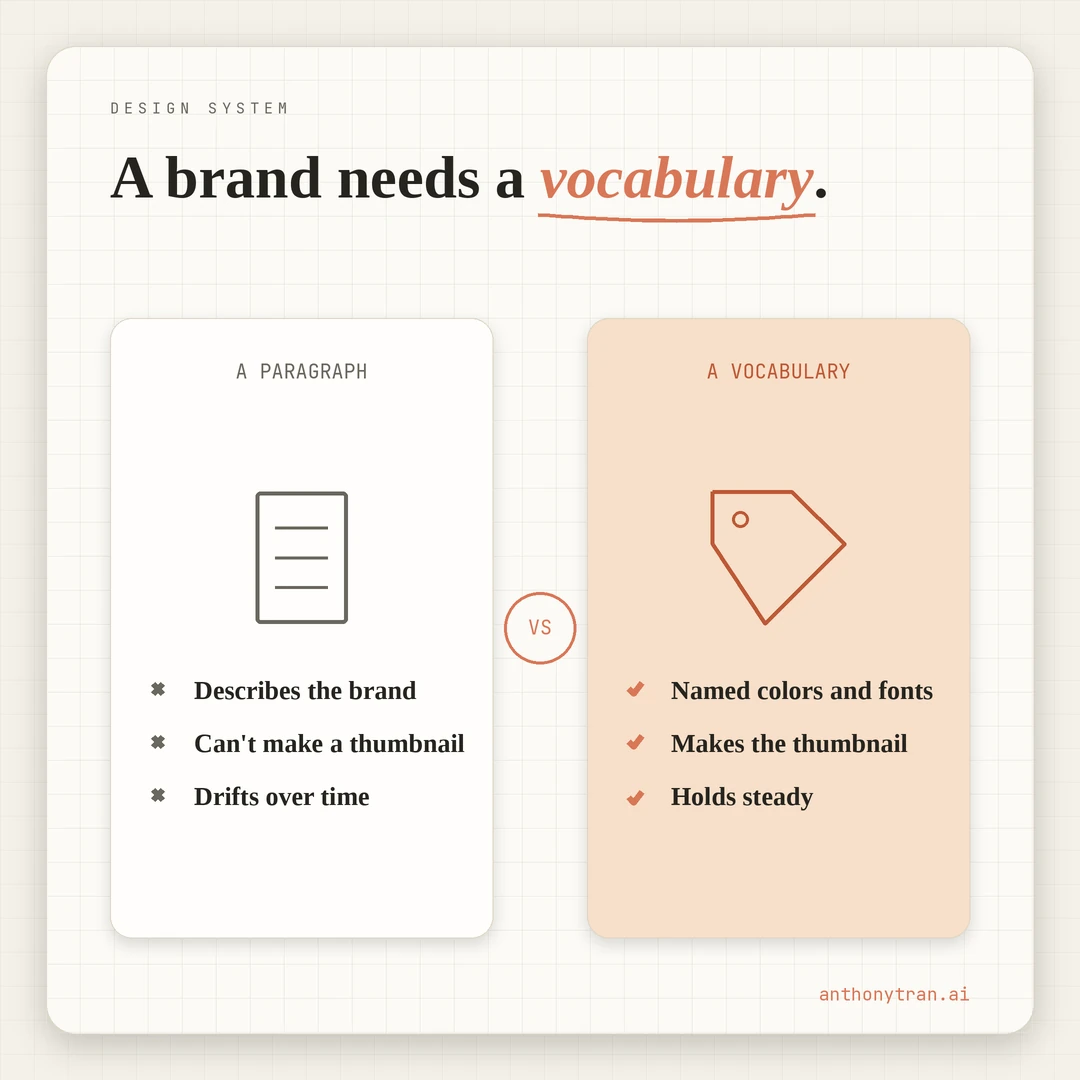
Why most personal brand systems end up as paragraphs
Most personal brands become paragraphs by default. Discovery calls, strategist decks, and late-night Notion pages all tend to produce the same thing: a polished description that cannot make decisions.
The paragraph reads well, so it feels finished. The owner closes the document and gets back to building.
Instead of writing a brand description, I built the design system as a reusable file first. The file lives inside a Claude skill in my case, because I work in Claude every day.
For someone else it might be a Notion page, a Figma library, a Webflow style guide, a one-page printable reference. The format does not matter.
What matters is that the file is usable before it is descriptive. The first asset I built using the skill was a social media graphic for the pilot origin story quote.
Then the homepage. Then blog post OG images.
Then a welcome email. Then a YouTube channel banner.
Each one had to look like the same brand. None of that works if you start from a paragraph.
The rule: build the list before you write the description. Or skip the description entirely.
What vocabulary actually looks like
Here is the contrast. The paragraph version of this brand would say something like: “Modern, technical, precise, with human warmth and an architect’s discipline.
That is description. It cannot make a thumbnail.
The vocabulary version is a list. It lives in a single file called design-tokens.md, gets referenced from a Claude skill, and auto-loads any time I create something visual. The pieces are:
Named colors. Not “dark mode with a cyan accent.” Five named colors: Deck (the dark base), Panel (the slightly lifted background for cards and code blocks), Cyan (the technical accent), Amber (the human accent), Ink (text). Each name describes the job, not just the hue. When I am designing, I do not pick “the cyan one.” I pick Cyan, which has a specific role.
Named typefaces with jobs. Barlow Condensed 800 for headlines (athletic, condensed, built for speed). Instrument Serif italic for emphasis (artistic, drafting energy). Inter Tight 300 for body (clean, readable, no personality). JetBrains Mono for spec rows and code (technical, monospaced, precise). Each typeface has a job. I never have to ask “what font goes here.” The job tells me.
Vocabulary words. Sheet, revision, elevation, section, project, version, drafting table, blueprint, schematic. These are the brand’s spoken language. They show up in headers, in body copy, in the URL slugs of blog posts (/blog/six-versions-visual-brand is sheet A-23). The vocabulary is what makes the brand sound like itself even before the visuals load.
Sheet codes. Every blog post has a sheet number (A-01, A-23, A-25). Every page has a sheet code in the corner. The codes are not decoration. They are how the system tracks itself. The same way an architect’s drawing has a sheet number in the lower right, this brand carries one too.
Two-mode system. Cyan mode for technical, AI, system-level content. Amber mode for human, personal, family-and-life content. Most assets pick one mode. A few combine both deliberately. The reader does not need to know the rule. The rule keeps the brand from feeling random.
A methodology line. “See it. Plan it. Build it.” Three words. They appear in the footer, in the about page, in the email signature, on the home page hero. The line is short enough to be repeated everywhere without feeling redundant.
A never-do-this list. No light mode. No fighter pilot iconography in personal brand content. No “career marketer.” No em dashes anywhere. No stock photography. The list is the negative space. It is what the brand is by what the brand refuses. A weak system only tells you what is allowed. A strong system also tells you what is impossible.
That is the vocabulary. None of it is description. All of it is decision.
Why vocabulary works and paragraphs do not
A paragraph describes a brand. A vocabulary IS the brand.
When I open a blank canvas, I am not asking “what does my personal brand look like. I am asking “which pieces do I assemble.
The pieces are already named, already decided, already ready. I pick Deck for the background, Cyan for the headline accent, Barlow Condensed 800 for the headline, a sheet code in the corner, the methodology line in the footer.
The asset is on-brand because the pieces are on-brand. There was no translation step.
A vocabulary also survives me. If I hire a designer six months from now, I do not hand them the paragraph and hope they interpret it correctly.
I hand them the vocabulary. They are much less likely to drift because the pieces are named and the rules are explicit.
The brand stays consistent because the system enforces it, not because anyone is checking each output against a description.
Vocabulary also moves across tools. The five color names, the four typefaces, the vocabulary words.
They show up in the website, the social graphics, the email templates, the thumbnails, the slide decks. The tool changes. The vocabulary does not.
The paragraph is what you give a brand-strategist client at the end of a discovery call. It is not what you give yourself when you have to ship a thumbnail in fifteen minutes.
The test
Open your current brand description. Read it.
Now ask one question. Could you create an on-brand asset right now using only this document, without rereading anything else?
If yes, you have vocabulary. If no, you have a paragraph dressed as a system.
The fix is the same as building the system the first time. List every visual decision as a named piece.
Give each color a name and a job. Give each font a name and a job.
Add the vocabulary words. Add the sheet codes or whatever your version of those is.
Add the never-do-this list. Stop describing the brand and start handing yourself the pieces.
For me, the file is design-tokens.md plus a Claude skill that loads it any time I create something visual. For you it might be a Notion page, a Figma library, a one-page printable reference.
The format is less important than the discipline. Decisions in. Descriptions out.
Put This Into Practice
If your current design system reads more like a paragraph than a list, paste this into Claude or ChatGPT to convert it.
I have a brand description that reads as a paragraph. I want to convert it into a usable vocabulary that I can pick up and apply without translating every time. Here is the description: [paste your current brand paragraph or brand book copy].
Walk me through the conversion. For each part of the description, ask me to pin it down as a specific named piece:
- Colors: name each color and the job it does. Not just hex codes.
- Typefaces: name each typeface and the job it does (headline, body, emphasis, code).
- Vocabulary words: what specific words show up in headers, body copy, slugs, captions?
- Spatial rules: what spacing system, what corner radius, what border treatment?
- Component patterns: what does a card look like, a button, a tag, a callout?
- Mode rules: are there two contexts (e.g., technical vs human, work vs play) that get different treatments?
- Methodology line or signature phrase that appears across assets.
- Never-do-this list: what would the brand never do? Light mode? Stock photography? Specific words?
Ask me one category at a time. Wait for my answer before moving to the next. By the end, I should have a list I can hand to a designer or paste into a Claude skill, and they could create an on-brand asset without ever reading the original paragraph.
The output is the file you build the rest of the brand on top of. The paragraph version is the document you hand a client. The vocabulary version is the document you hand yourself.
Brand language is what you speak, not what you describe
The brands that stay consistent across years and channels are the ones built as vocabulary. The brands that drift are the ones built as paragraphs.
The difference is not effort or budget. It is whether the system is something you USE or something you READ.
If you have a paragraph, convert it. If you do not have anything yet, skip the paragraph step entirely. Start with the list.
The brand is the words you speak in every asset, not the description of how you wish the asset would feel. I have written about the iteration that found this brand and why The Architect was the right archetype.
Vocabulary is what made it stick. Without it, six iterations would have produced six versions and zero system.
If the system cannot help you make the next asset, it is not a system yet. It is a paragraph waiting to be translated.
Come build with me.
~ Anthony
Frequently asked.
What is a personal brand design system?
A list of usable pieces (colors with names, fonts, vocabulary words, layout rules, never-do-this examples) that lets you create on-brand assets without rereading a brand guide every time. The opposite is a written description of the brand, which sounds finished but produces nothing on its own.
What is the difference between a brand paragraph and a brand vocabulary?
A brand paragraph describes the brand in prose ('we are bold, modern, and human-centered'). A brand vocabulary is a list of named pieces you can pick up and use ('Deck for the dark base, Cyan for technical accents, Amber for human warmth, Barlow Condensed 800 for headlines'). Vocabulary lets you create. Paragraphs only let you describe.
How do you turn a brand description into a usable design system?
List every visual decision as a named piece. Give each color a name, each font a job, each component a pattern, each word a meaning. Add a never-do-this list so the system protects itself. The test is whether someone could open a blank canvas and create an on-brand asset without rereading anything.
Stop re-explaining yourself to Claude.
Grab the free AI Starter Kit: my exact Claude setup, so it knows your business. Plus the lessons as they land.
Anthony Tran
13 years in marketing and an Air Force veteran. I use Claude every day to market and grow my own business, and I break down what works in plain English. Writing and recording from Arizona.