
I used to lose every YouTube video and blog post I learned from. Now I clip them into a Raw folder and let Claude help me sort the batch later. Here is exactly how the pipeline runs.
The problem this pipeline solves
You watch a two-hour YouTube interview with someone whose work you respect. By the end, your brain has three lessons you want to remember and two quotes you want to save.
You close the tab. A week later, you cannot recall any of it.
Or you read a long blog post that finally explains the framework you have been missing for months. You bookmark it. You never open the bookmark again.
This is the leak in most people’s research workflow. Source material comes in.
A few ideas feel important for a moment. Then the tab closes and the trail disappears.
Almost none of it makes it into a place you can actually find six months from now when you need it.
The Raw folder pipeline is how I stopped that leak. It is two folders, one browser extension, and a batch processing session with Claude that turns clipped material into knowledge I can actually reuse.
The pipeline is not clever. It is just deliberate.
If you have already set up Obsidian on day one, you have the storage layer in place. The Raw folder pipeline is what runs on top of it.
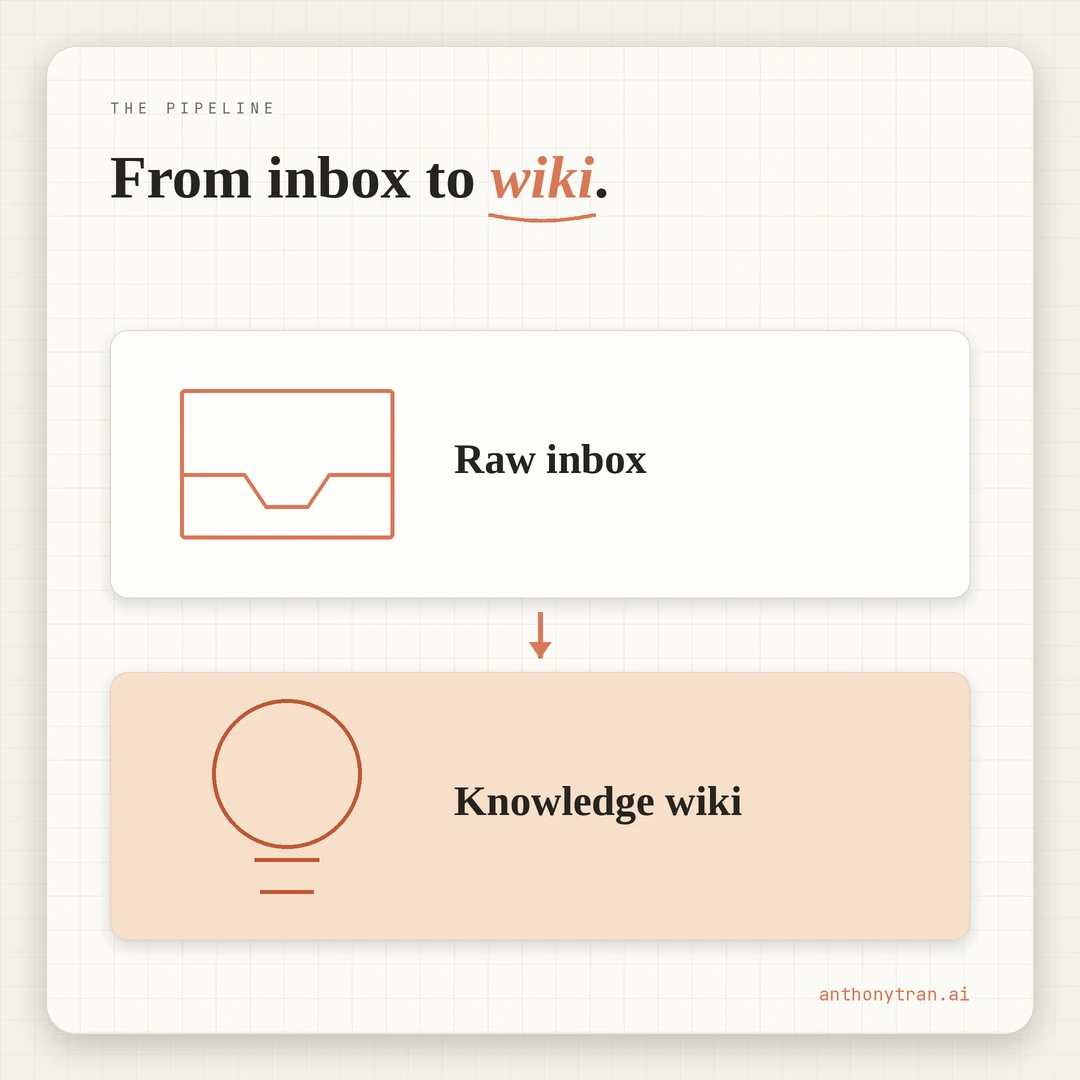
The capture step is one click. The sort step happens later, in batches.
The two steps are deliberately separated. That separation is the whole trick.
What you need before you start
You need three things in place. None of them are exotic.
You need an Obsidian vault on your computer. Plain markdown files in a folder. The setup is covered in the day-one post linked above.
You need the Obsidian Web Clipper installed in your browser. It is the official extension.
You hit a button on any web page and the page gets saved into your vault as a clean markdown file. For many YouTube videos it grabs the transcript too, when one is available.
When the transcript does not come through, I either skip the video or paste the transcript in by hand.
You need a Claude session that can read the files in your vault. The exact mechanism depends on your setup.
In my case my Claude tool reads files from the vault folder directly. Other setups achieve the same thing through project knowledge uploads, MCP connectors, or pasting the relevant text manually at the start of a session.
The pipeline works either way. The plumbing is yours to pick.
That is it. No paid software beyond the Claude subscription you probably already have.
The folder structure
Two folders drive the workflow, plus an optional third for quotes if you save reusable lines.
Vault/
  Context/        (your foundation files)
  Raw/            (the inbox for clipped sources)
  Knowledge/      (the processed wiki)
  Quotes/         (optional, for quotable lines you want to reuse)
The first is Raw/. This is the dump zone.
Anything you clip lands here by default. Web pages, YouTube transcripts, PDFs, screenshots, reference material.
The folder is intentionally messy. You do not file things into subfolders in the moment. You drop them in.
The second is Knowledge/. This is where processed material lives.
One topic per article. Each article is the cleanest version of what I have learned about that topic, drawn from however many Raw sources contributed to it.
The articles are interconnected with wiki-style links so the whole folder reads like a personal encyclopedia. Right now mine has about 32 articles. It started with zero.
If you bank quotes for repurposing in social posts or video hooks, a separate Quotes/ folder keeps them out of the main Knowledge layer. Optional, not required.
The flow between Raw and Knowledge is one direction. Source material enters Raw.
After processing, it gets distilled into one or more Knowledge articles. The original source file usually stays in Raw as a reference, with a note at the top that says when it was reviewed and what it contributed.
That is the entire architecture. Two main folders. One direction.
Step 1: Clip everything into Raw, no decisions allowed
The first rule of the pipeline is the one most people break. When you are reading a blog post or watching a video and you think “this is good,” do not stop to decide what to do with it.
Do not categorize it. Do not bookmark it for later.
Do not think about whether it deserves a permanent place in your knowledge layer.
Just hit the clipper button.
The piece lands in Raw with a sensible filename and the page contents saved as markdown. If the source has a YouTube transcript and one is available, the transcript comes too. The whole capture takes one second.
The reason this rule matters is that any decision you have to make in the moment kills the habit. If clipping requires you to file the piece into the right folder, you hesitate.
If it requires you to rate the piece, you hesitate. Hesitation breaks capture. Once capture is broken, the rest of the pipeline starves.
So the rule is no decisions at the capture step. Clip it, move on.
Let Raw get messy. Messy is the point.
I clip everything I might want to come back to. Long-form blog posts.
YouTube videos with transcripts. PDFs of frameworks I have downloaded.
The occasional screenshot of a particularly good piece of design. I do not read most of it the day I clip it.
I might not read some of it for two weeks. The folder is the inbox. Inboxes are supposed to fill up.
Step 2: Run a batch processing session
Once a week or whenever Raw starts feeling thick, I open a Claude session and run a processing pass.
The session is one focused block of time. Could be twenty minutes.
Could be ninety, if the batch is large. The structure is the same every time.
I tell Claude what I want processed. Sometimes that is everything new in Raw. Sometimes it is a specific subset, like all the Dan Koe transcripts that came in this month, or every email marketing piece I have clipped since I last reviewed.
Claude reads the batch. For each piece, Claude proposes one of four classifications:
- New Knowledge article
- Fold into an existing article
- Quote-worthy but not article-worthy
- Skip with a reason
Then Claude expands each proposal so I can decide.
1. New Knowledge article. The piece introduces a topic the Knowledge folder does not yet cover, or it goes deep enough on something to deserve its own article. Claude proposes a slug, a short summary of what would go in the article, and which existing articles it should cross-link to.
2. Fold into an existing article. The piece adds new material to a topic that already has its own Knowledge article. Claude tells me which existing article, what would get added, and where the addition would land in the structure of that file.
3. Quote-worthy but not article-worthy. The piece has one or two lines that should be saved into a separate quote bank for repurposing. Claude pulls the lines and proposes which file they belong in.
4. Skip with a reason. Some material is not worth processing. Maybe the same idea is already well-covered elsewhere in the Knowledge folder. Maybe the piece is a sales pitch dressed up as content. Maybe it is just thin. Whatever the reason, Claude flags it as skip and writes the reason in the Raw folder’s README so we do not re-litigate the same source three months later.
I review the proposals. I approve, redirect, or kill each one.
After I approve, Claude writes the articles or makes the edits. I scan the output and accept it into the vault.
The key part is that I am not writing. I am deciding.
Claude is writing. That split is what makes the session fast.
A real worked example: the Dan Koe batch
I clipped four Dan Koe videos into Raw over the course of a few days. The titles were “How To Write Authentic Content,” “How To Build A $1M One-Person Business Faster With AI,” “How To Build A Profitable Personal Brand In 30 Days With AI,” and “My Entire Content Ecosystem.” Plus 15 PNG screenshots from the videos that I had also clipped.
When the batch felt thick enough, I sat down with Claude and ran a processing session on the lot.
Claude read all four transcripts and the screenshot captions. Then Claude proposed the classification. The batch produced:
-
Two new Knowledge articles
- Four C Framework (Context, Clarification, Creation, Concerns), the cleanest mental model in the batch and one that applies to every AI prompt going forward
- Content Topic Planning, synthesizing the Topic Tree, the Three Topic Types, and the Three Repeatable Post Styles into one article that fills the planning-layer gap between angle-finding and craft
-
Three additions to an existing Knowledge article (Newsletter Writing Playbook)
- Dan’s 30 to 60 minute daily section cadence
- His Content Breakdown Prompt as a study tool
- A noted-as-rejected entry on the “Substack as hub” debate so future-me knows we considered and rejected it
-
Five quotes pulled into a separate quote bank file for use in social posts and YouTube hooks down the road
-
Several items skipped with reasons
- Eden software pitch in the middle of one video (sales material, not learning material)
- Daily 1 to 3 posts across four platforms (incompatible with my single-platform approach)
- A few segments of $1M math that would not have made for a useful Knowledge article on their own
Claude wrote a README inside Raw/Dan Koe/ that listed exactly what was processed and what was deliberately skipped, with a one-line reason for each skip. That README is the receipt.
If a future session ever proposes processing the same material again, I can point at the README and say “we already decided. The pipeline does not waste itself re-litigating settled decisions.
The four transcripts got a reviewed field added to their frontmatter, dated to the processing session, plus a REVIEWED block at the top so anyone scanning the file knows the material has been processed.
Total session time was about an hour. Total output was two new permanent articles, three additions to an existing one, five quotes saved, and a clean trail showing what was rejected and why.
I would have lost most of that material if I had not had the pipeline. I would have watched the videos, told myself I would remember the good parts, and then a month later only retained the vague feeling that Dan Koe is worth listening to.
Step 3: Update the README in Raw
The Raw folder gets a README at the top level. It is short.
It says what the folder is for and how it works. Inside specific subfolders that hold a meaningful batch (Dan Koe, Caleb Ralston, Email Marketing Research), there is a second README that documents what got processed and what got skipped, with reasons.
A subfolder README looks something like this:
# Dan Koe

Source material from Dan Koe videos and writings.

## Processing log

### Batch 1

Processed:
- "How To Write Authentic Content"
  - Contributed to [[Four C Framework]]
  - Contributed to [[Content Topic Planning]]
- "My Entire Content Ecosystem"
  - Contributed to [[Newsletter Writing Playbook]]

Skipped:
- Eden software pitch
  - Reason: sales material, not learning material
- Daily 1 to 3 posts across four platforms
  - Reason: incompatible with current single-platform approach
This step is small but load-bearing. Without the README, every Claude session that opens the vault sees the same Raw items and might propose processing them again. With the README, Claude sees the record and knows the work is done.
I write the README during the same processing session. Claude proposes the additions.
I approve. The whole thing takes two minutes.
The README also acts as a memory for me. Six months from now when I cannot remember whether I ever reviewed a particular video, I open the folder, read the README, and either remember or process it.
The processed Raw files themselves get clean frontmatter so the metadata is queryable later:
---
source: https://youtube.com/...
type: youtube-transcript
clipped: 2026-04-19
reviewed: 2026-04-22
status: processed
contributed_to:
  - "[[Four C Framework]]"
  - "[[Content Topic Planning]]"
---
A reviewed field is cleaner than a tag like reviewed-YYYY-MM-DD because YAML fields are easier to query and harder to typo.
Why batching beats sorting in the moment
The instinct most people have when they first build something like this is to sort as they capture. They watch a video, they file the transcript into the right Knowledge folder, they move on. The capture step and the sort step happen back to back.
I tried that for a couple of weeks. It broke for two reasons.
The first reason is that sorting in the moment is high-friction. You have to think.
You have to compare the new piece to what is already in the Knowledge folder. You have to decide whether it deserves its own article or belongs as an addition to an existing one.
That kind of thinking is the whole job of the processing session. Trying to do it in the moment, while the video is still fresh and you are excited, produces sloppy decisions.
The second reason is that the rhythm is wrong. Capture happens when source material crosses your path.
That is unpredictable and bursty. Sorting is a calmer activity that benefits from reading multiple pieces in sequence and seeing the patterns across them.
Forcing both into the same minute is uncomfortable and slow.
Separating the two steps lets each one happen at its own natural rhythm. Capture is constant and frictionless.
Sorting is periodic and focused. The pipeline runs faster because each step gets to be what it is.
The pipeline does have one failure mode worth naming. If you clip and clip and never schedule the processing session, Raw stops being an inbox and becomes a guilt pile.
Smarter-looking bookmarks. Same outcome as before.
The capture habit only earns its keep when there is a recurring sort habit behind it. Pick a slot every week or two. Defend it.
What does not belong in the Raw folder?
The Raw folder is for source material you want your AI tools to read. It is not a private file dump.
Do not clip articles that contain sensitive personal information. Do not save medical records.
Do not throw in private screenshots of conversations or DMs. The vault syncs to a private GitHub repo and gets read by Claude in every session.
A private repo is private, but it is not the same as a local-only folder. If you would be uncomfortable with the material being synced off your machine, indexed, or read by an AI tool, keep it out of Raw.
Same logic applies to paywalled articles, private course content, and anything you do not have the right to process through an AI tool. Stick to public material and material you have explicit permission to use.
Treat Raw the way you would treat a stack of magazines on your desk. Public material that is fair game for anyone to see. Anything more sensitive lives somewhere else.
Put This Into Practice
Open a Claude session. Paste this in.
I have new source material in my Raw folder that I want you to process into my Knowledge wiki. Walk me through this one item at a time. Wait for my approval at each step before moving to the next.
Step 1: Tell me which items in Raw look new, meaning they do not already have a reviewed field in their frontmatter. For each one, give me a one-sentence summary of what is in it.
Step 2: For each item, propose one of four classifications. Either (a) new Knowledge article, (b) fold into an existing Knowledge article (name which one), (c) quote-worthy but not article-worthy (pull the lines), or (d) skip with a reason. Explain the why for each.
Step 3: After I approve the classifications, write the new articles or make the additions one at a time. Show me each one before saving. Use wiki-style links to connect related Knowledge articles. Preserve a Sources section at the bottom of every Knowledge article that links back to the Raw files that contributed to it.
Step 4: Update the README at the top of the relevant Raw subfolder to record what was processed and what was skipped, with reasons.
Step 5: For each processed Raw file, add or update frontmatter fields so the metadata stays clean: reviewed: YYYY-MM-DD, status: processed, contributed_to: a list of the Knowledge article wiki-links it fed.
Push back on any classification I approve that you think is wrong. I want a real second opinion, not agreement.
Run this any time Raw starts feeling thick. The first time you run it, the session might take an hour or two if you have a backlog. After the backlog is cleared, weekly sessions are usually under thirty minutes.
What you are building is more than a workflow. It is an indexed memory of every source you have ever cared enough to clip.
That memory compounds. The longer it runs, the more useful every individual session becomes, because Claude gets to read across more material when you ask it a related question later.
What I would do differently if I started over
I would build the README discipline from day one. The first month of my pipeline did not have READMEs in the subfolders.
The result was that I sometimes asked Claude to process material that had already been reviewed weeks earlier, and the session wasted time figuring out the duplication. The README is the cheapest possible insurance against that waste. Add it from the start.
I would also resist the urge to over-organize Raw. Early on I created subfolders by topic, hoping to make the eventual sorting easier.
The subfolders made capture slower and the topic guesses I made in the moment were often wrong anyway. Now everything lands flat at the top of Raw.
Subfolders only get created later when a real batch emerges around a single source (Dan Koe, Caleb Ralston, BB competitor research). Grouping is a sorting decision, not a capture decision.
The pipeline is small. The payoff is big.
Most of what I now know about AI personal branding, email marketing, and content systems came in through this loop. The clip step is one second.
The sort step is once a week. What lives in the Knowledge folder afterward is the part that compounds.
If you set up Obsidian on day one and the four foundation files in your Context folder, the Raw folder pipeline is the next layer on top. It is what turns the vault from a place you store things into a place that learns alongside you.
~ Anthony
Frequently asked.
What is the Raw folder pipeline for AI knowledge management?
It is a two-step capture system. You clip everything into a Raw folder using the Obsidian Web Clipper. Later, you run a batch processing session where Claude reads the new clips and proposes what becomes a knowledge article, what gets folded into an existing article, what gets quoted, and what gets skipped. You approve. Claude writes.
Why separate the capture step from the sorting step?
Because deciding what to do with a piece of source material in the moment kills the capture habit. You hesitate, then you do not clip. Separating capture from sorting makes both steps easier. Capture becomes one click. Sorting becomes a focused session you batch later.
What does a Raw folder processing session actually look like?
Open Claude with access to your vault. Tell it which Raw folder items you want processed. Claude reads them, proposes a classification for each (new article, addition to an existing article, quote-worthy line, or skip with reason), and waits for your approval. After you approve, Claude writes the articles or makes the edits. You review and accept.
Stop re-explaining yourself to Claude.
Grab the free AI Starter Kit: my exact Claude setup, so it knows your business. Plus the lessons as they land.
Anthony Tran
13 years in marketing and an Air Force veteran. I use Claude every day to market and grow my own business, and I break down what works in plain English. Writing and recording from Arizona.