
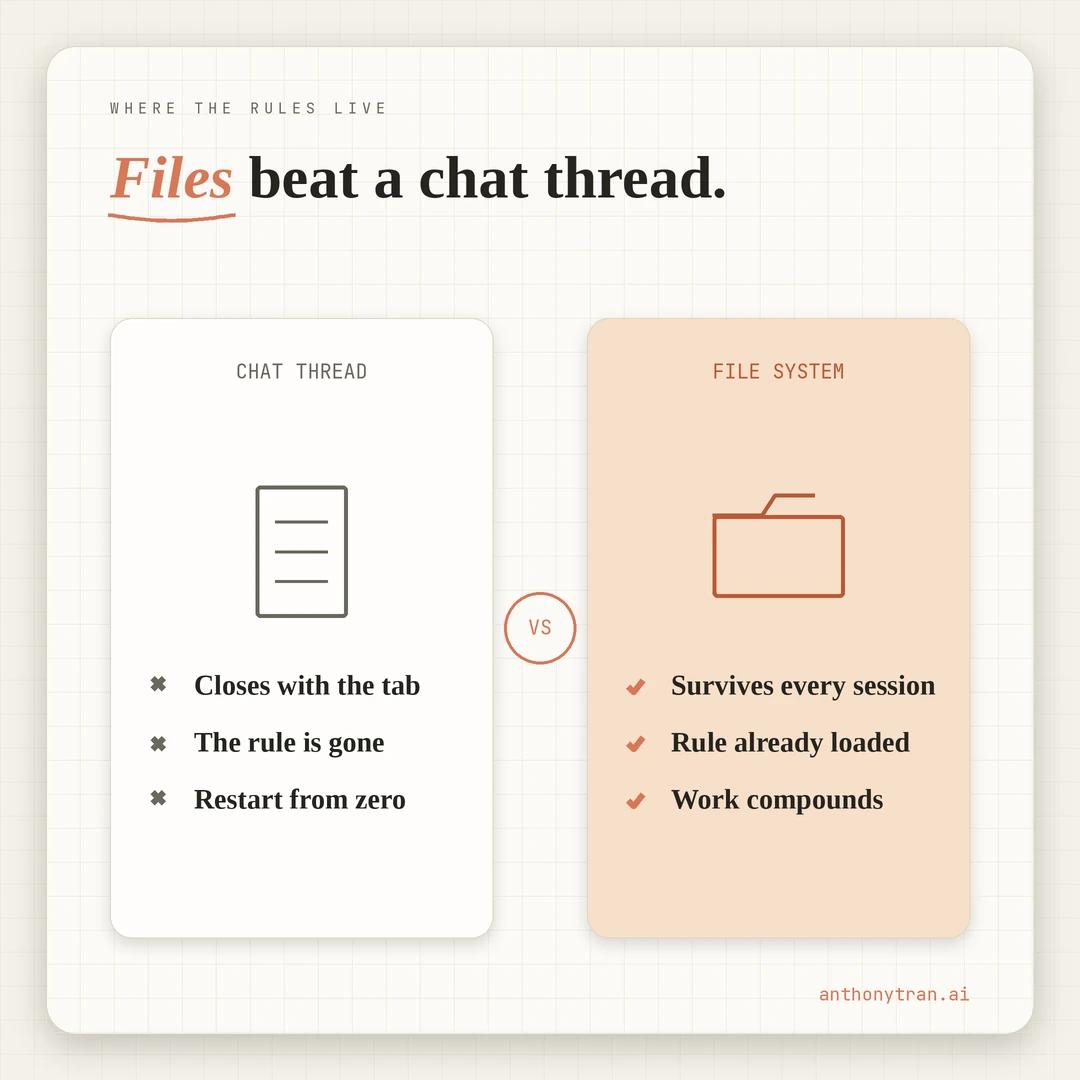
Every chat session ends. What surfaced inside it disappears when the tab closes. Capture the rule to a file before the chat dies, or the next session starts back at zero.
Why most AI sessions evaporate
You have felt this. Mid-chat with Claude or ChatGPT, you land on something useful.
A rule. A way of phrasing your voice.
A pattern in your work you had not noticed before. You nod.
You think, “I should remember that. Then you close the laptop.
The next morning you open a fresh chat. The rule is gone.
The pattern is gone. You restart from the same place you were yesterday.
The AI does not remember. The chat thread is the only place the rule existed, and the thread is now a closed tab.
The fix is small. Capture the rule to a file before the chat closes.
The chat dies. The file lives.
That is what I mean when I say files are the memory. The chat thread is the conversation, the file system is the brain.
How AI memory files actually work
Two layers, if I am being honest with how I have set this up.
The first layer is plain reference material. My four foundation files sit here: about-me, writing-rules, memory, and global-instructions.
In my setup, they are available to Claude at the start of every session through my project configuration. They tell Claude who I am, how I write, what is going on this week, and how I want to be worked with.
That layer holds most of the context that survives across sessions, and it does its work quietly in the background. (Full walkthrough of the four files here.)
The second layer is the part that surfaces the right thing at the right moment. Small memory files, each with a clear “use this when…” trigger at the top.
The trigger is not magic. It is a one-line instruction that tells the model when the note matters, so when the model brings that file into the session, it knows whether to apply it.
One caveat on the mechanics. Plain markdown files do not help unless the AI tool can see them.
The exact path depends on your setup. Claude Projects with uploaded reference files.
A local folder exposed to a desktop Claude tool. A short ritual where you paste the file content at the start of a session.
The mechanism matters less than the principle. The durable memory lives in files you own, and the model reads from that source.
Both layers are just markdown files in a folder, plain text, no vendor format. The asset that compounds over time is the folder, not the model.
I covered the storage and reading layer in why I set up Obsidian on day one. This post is about the habit that fills both layers.
The habit is one sentence long. When something useful surfaces inside a chat, write it to a file before the chat closes.
A scene from last Monday: when six words became a rule
This came up live last week, and it is the cleanest example I have of the habit closing the loop.
I was reviewing a draft of a blog post about setting up email automation late. The post had been through one pass, but the first read still felt off.
I started scanning for what was wrong, and the wrong thing was vocabulary. The draft used “shipped” for “published.
It used “deploy” for “put live. It used “infrastructure” for “setup work.
It used “public rep” for “first post that goes live. They were all from the wrong vocabulary list.
My reader is a man around 45 with a real career behind him. Maybe corporate, maybe an agency owner, maybe a service business.
Not a software developer. Words like “shipped” and “deploy” and “debug” come out of a developer’s mouth, not his.
If I read the draft to him at a kitchen table, half the sentences would sound like a different language.
So I swapped them in the post. Six words traded for plain ones. The draft read like me again.
That was the surface-level win. Six edits, publish the post, move on.
But there was a deeper question I almost missed. Why did Claude reach for “shipped” and “deploy” in the first place?
Not random. Claude was drafting inside a session about my workflow, where the surrounding vocabulary was technical because the task touched tools.
The drafting brain reached for the words that were closest at hand. Those words happened to be the wrong words for the reader.
That was the real catch. It was not about six words on one post.
It was about a pattern that had now hit on the third or fourth post in a row. The fix was not in the post. The fix was in the rules.
So before the chat closed, two things landed in files.
First, my writing-rules file got seven new rows in its plain-word lookup table. “Shipped → published or goes live.
“Deploy → put live. “Debug → figure out or troubleshoot.
“Infrastructure → setup or setup work. Each row reminds the next draft to swap the dev word for the plain word before it ever hits the page.
The fix now lives at the start of the next draft, not at the end of the next review.
Second, a small memory file got written. Fewer than 20 lines, named after the pattern itself, with three parts: what the pattern is, why it keeps happening, and how to apply the fix at draft time. Saved to a folder my Claude setup reads at the start of every session, with a trigger at the top that says “use this when drafting personal-brand content that touches workflows or tools.”
By the time I closed the chat that afternoon, the post was live, the rules file was updated, and a memory entry was filed. The chat itself?
Closed. Tab gone. None of the conversation inside it is recoverable.
But the lesson is. Permanently.
Where does each kind of capture go?
This is the taxonomy I use. Not a rule of the universe. Just the four buckets that work for how I write and how my projects move.
Rules go in a writing-rules file. Any time a voice rule, an editorial rule, or a “do this, not that” rule surfaces in a chat, it lands here. Banned words. Title conventions. Sentence rhythm rules. The plain-word lookup table. One file per major work zone (one for the personal brand, one for client work, one for any business with its own voice). Each rule gets a number, a short note, and an example. Future sessions read the file before drafting and the rule is already there.
Cross-session patterns go in a memory folder. Rules are the surface fix. Patterns are the deeper reason rules exist. When the same kind of catch happens three times across three different posts, that is a pattern, and patterns get their own short memory file with a “use this when…” trigger. Each entry is small. Each has a clear condition for when it fires. That is the second layer I described above.
Scenes and moments go in a journal file. Brain dumps, stories, small moments from my week that I want available for future content. Raw and dated. Then once a scene shows up in a post and earns its keep, it migrates to my main about-me file as part of the main narrative. Not every scene survives the migration. Some stay journal-only. That is fine.
Current state and active decisions go in a memory file. What I published this week. What is paused. What is in motion. What I have decided and why. The “what is going on right now” file. Update it at the end of every session. Read it at the start of every session.
Your reader is not my reader. Your projects are not my projects.
Four buckets might be three buckets if your work is simpler. But there is something useful about naming where each kind of capture goes before you need it.
Friction kills the habit. Knowing exactly where the rule belongs takes the friction out of capturing it.
Put This Into Practice
The hard part of the capture habit is not the writing. The writing takes about a minute. The hard part is remembering to do it before you close the chat.
The fix that worked for me is one small prompt at the end of every working session.
Before this chat closes, scan what we just worked on. Pull out:
Any new rule or convention that surfaced (voice rule, editorial rule, banned word, naming convention). Write it as a row I can drop into my rules file.
Any pattern that hit for the second or third time (same kind of catch happening again across different projects). Write it as a short memory entry with a “use this when…” trigger.
Any scene or moment I mentioned in passing that has not been written down yet (a story, a place, a quote, a moment from my life). Write it as a raw journal entry with today’s date.
Any decision I made today that should survive the chat (what I published, what I paused, what I changed my mind about). Write it as a one-liner for the memory file.
Give me each as a copy-paste block I can drop into the right file. If nothing belongs in a bucket, skip that bucket. Do not pad.
That is the move. Run it at the end of the session, right before you close the laptop.
About a minute of work most days. Two on busy ones.
Then paste each block into the right file. Then close the chat.
The next morning, when the new session opens, the rule is already loaded, the pattern surfaces when its trigger fires, and the scene is sitting in your journal waiting to be pulled into a future post.
What this looks like a month in
The compounding takes a few weeks to feel. The first few times you do it, the habit feels like extra work for not much payoff.
By the second or third week, your rules file has 15 or 20 rules that are actually catching things at draft time. Your memory folder has a handful of pattern entries that surface when their conditions hit.
Your journal has 10 or 12 raw entries you can mine for posts. Your current-state file is actually current.
The smart-stranger problem starts to disappear: that feeling of working with a capable AI who needs to be briefed from scratch every morning. You stop reintroducing yourself.
You stop reteaching the same rule. You stop losing the same insight you “discovered” three sessions ago.
The work compounds because the system is no longer the chat. The system is the folder.
The bigger move underneath
Every AI tool in the next two years is going to have a different version of “memory. Some will run agents that watch you.
Some will keep their own session history. Some will charge for the privilege. The marketing will get loud.
The boring move underneath all of it is the same as it was on day one. Write the things that should survive into plain text files in a folder you own.
Make the folder the source. Treat the model as the worker who reads from the source.
The folder works with Claude today. It will work with whatever comes after Claude. It works because text files have been a stable format for fifty years and will be a stable format for the next fifty.
The capture habit is what fills the folder. Every session, capture before close.
Every week, the folder gets a little smarter. Every month, the work moves faster because the model is no longer learning you from scratch.
The chat thread is the conversation. The file is the memory.
~ Anthony
Frequently asked.
How does Claude remember context between sessions?
Claude does not by default. Each new chat starts fresh. The fix is to keep your context in plain markdown files that your Claude tool reads at the start of every session. Rules, project state, lessons, scenes from your life. Whatever should survive the chat goes in a file.
What should you capture from an AI session before closing it?
Anything that should survive the chat. New rules you discovered. Patterns that hit for the second or third time. Scenes from your life that came up while talking. Decisions you made today. A small close-of-session prompt makes the habit stick.
Where do you store rules you discover during AI sessions?
Plain markdown files in a folder your AI tool reads at the start of every session. A rules file for voice and editorial conventions. A memory file for project state. A journal for raw scenes. The folder is the brain. The chat is just the conversation.
Stop re-explaining yourself to Claude.
Grab the free AI Starter Kit: my exact Claude setup, so it knows your business. Plus the lessons as they land.
Anthony Tran
13 years in marketing and an Air Force veteran. I use Claude every day to market and grow my own business, and I break down what works in plain English. Writing and recording from Arizona.