
Most people type a one-line order into Claude and get generic junk back. The fix is to talk to it like a coworker, and give it three things every time.
How do you talk to Claude so it actually helps?
Talk to it like a coworker, not a search box. Before you hit enter, give it three things: who you are and what you are trying to do, what you want it to do, and how you want it done.
That is the whole framework. Set the stage, define the task, specify the rules.
Do that, and the same tool that was handing you generic junk starts handing you something you can actually use.
Most people skip all three. They type “write me a marketing email” and get back something flat and forgettable, the kind of thing that could have come from anybody about anything.
Then they decide AI is not for them. But the tool was never the problem. We just did not tell it anything.
In my last post on what Claude actually is, I said the magic is in the context only you have. This post is the how: the way you hand Claude that context so it works the first time.
Why this beats typing a one-line order
Think about how you would hand work to a new person on your team. You would not walk up and say “write an email” and walk away.
You would tell them who it is going to, what it is for, and how you want it to sound. You give them that because you know they cannot read your mind.
Claude cannot read your mind either. It is fast and it is sharp, but it only knows what you put in front of it. A one-line order gives it almost nothing, so it fills the gaps with the most average, middle-of-the-road answer it can find.
The three-part framework is just the coworker briefing, written down. Here is what each part does.
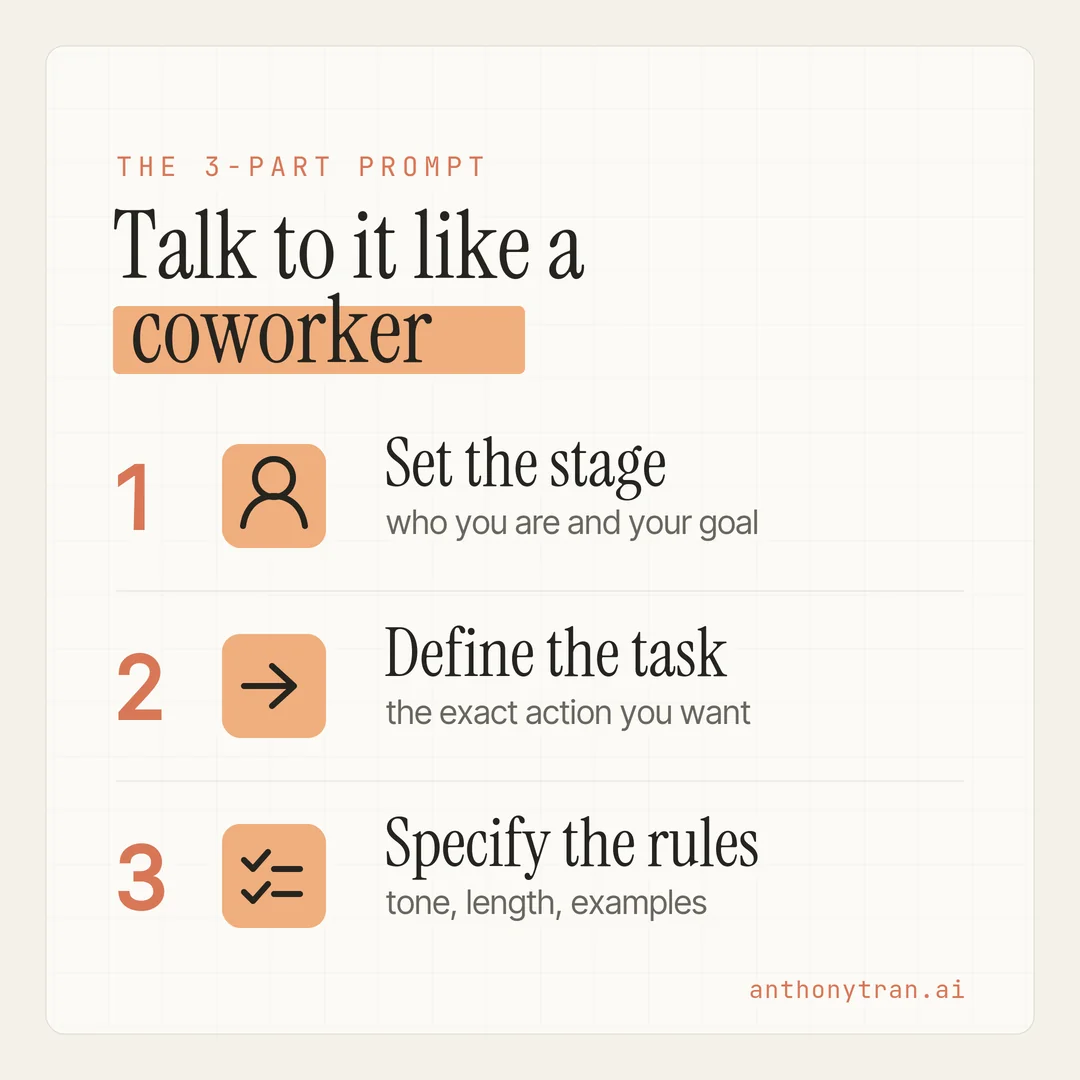
1. Set the stage
First, tell Claude who you are and what you are trying to do.
This is the part almost everyone skips, and it is the one that changes the most. You are giving Claude the context that lives in your head and nowhere else.
Your role, your customer, the goal you are chasing. A marketer writing to small business owners needs a different answer than an accountant writing to other accountants.
Claude has no way to know which one you are until you say so.
So say it. “I run a small web design agency.
My clients are local business owners who are not technical and are short on time. That one sentence quietly steers everything that comes after it.
2. Define the task
Next, tell Claude exactly what you want it to do.
This sounds obvious, but vague gets you vague. “Help me with my newsletter” could mean ten different things.
“Write a short newsletter that wins back clients I have not talked to in a year” is one clear thing. Name the action.
Do you want it to write, to plan, to summarize, to pull apart a long document and find the important parts? Pick the verb and give it the details that matter.
The clearer the task, the less back and forth you need later. You are not being bossy. You are being specific, which is a kindness to anybody doing the work, including a machine.
3. Specify the rules
Last, tell Claude how you want it done. The tone, the length, the format, and any example of what good looks like.
This is where you stop sounding like everyone else. Tell it to keep things short.
Tell it to skip the hype and the buzzwords. Tell it to sound like you, not a press release.
If you have a piece you love, paste it in and say “match this. Rules are how you get an answer that sounds like you instead of an answer that sounds like the internet average.
Here is the real version of this from my own setup. I went into my settings and wrote down the rules I want every chat to follow, in plain English.
Mine say things like: talk to me like a direct, smart friend, not an assistant. Short sentences.
Simple words. No jargon.
No corporate buzzwords. Get to the point.
And one hard line of mine, never use em dashes, because to me they are the number one tell of AI writing. I wrote those once, and now every answer comes back closer to how I actually talk.
And that is the quiet upgrade most people miss. You do not have to repeat your rules in every single chat. You can set them one time and have them stick.
Set your rules once, not every time
Claude has a few spots in Settings that hold your context so you stop repeating yourself. Anthropic moves these around now and then, so if a label looks different when you go looking, the things to find are preferences, styles, and memory.
- Personal preferences. In Settings, under General, there is a box that asks what preferences Claude should consider. Whatever you put there applies to every conversation. This is where my short-sentences, no-buzzwords, no-em-dashes rules live.
- Styles. You can pick a writing style like concise or explanatory, or build your own by describing exactly how you want it to write. Once it is set, it carries across your chats.
- Memory. Over time, Claude can hold on to key context from your conversations, like your role and how you like to work, so you are not starting from zero every time. You stay in control of it, and you can review or clear what it remembers whenever you want.
Set the stage and the rules once in Settings, and every new chat already knows half of what it needs. You just bring the task.
How it works in practice
Let me put it together with something real. Say I need to write a short email to past clients I have not spoken to in a while.
The lazy version is “write an email to past clients.” What comes back is polite, generic, and forgettable.
The coworker version sounds like this. “I run a small web design agency, and my clients are local business owners who are not very technical.
I want a short, warm email to people I built websites for a year or two ago, just checking in and reminding them we also keep sites updated and secure. Keep it under 150 words, friendly, no hard sell, and sound like a real person, not a sales rep.
Same tool, completely different result. Here is the kind of thing it hands back:
Subject: Just checking in
Hi [Name], it has been a little while since we built your site, and I wanted to say hello. A lot can change in a year or two, from security updates to small content tweaks. If anything feels out of date, or you just want a second set of eyes on it, I am happy to take a look. No pressure either way. I just wanted to make sure everything is still running smoothly for you.
Talk soon, Anthony
That sounds like me talking to people I actually know, because I gave it the three things it needed.
And if the first draft is not quite right, you do not start over. You talk to it like you would a coworker who took a good first swing.
“Make the opening warmer. Cut the last line.
Say it more like me. That back and forth is normal, and I wrote more about why the first answer is only ever a draft in the last post.
The point is you do not have to nail the perfect prompt on the first try. You just have to start it right.
One more shortcut worth knowing. You can hand Claude a file instead of typing everything out.
Upload a document, a spreadsheet, or a PDF, and it will read it and work from it. Anthropic teaches this same three-part approach in their free Claude 101 course, and it builds on their broader AI Fluency work on getting good results from AI.
I pulled out the part that matters most for everyday work and put it in plain English.
One quick word of caution
This makes Claude a lot more useful, but it is still not magic. A few things to keep in mind.
Do not assume the first answer is correct, check anything that matters before you act on it. Be careful with sensitive client or customer information, and know your plan’s privacy and memory settings before you paste it in.
And do not treat what it says about legal, medical, financial, or tax questions as professional advice. Brief it well, then check its work like you would a sharp new hire.
Put This Into Practice
Here is the three-part framework as a fill-in-the-blank prompt. Paste it in, fill the brackets, and reuse it for any task this week.
Set the stage: I am [your role]. My customers are [who they are and what they care about], and I am trying to [your goal].
The task: I want you to [the exact action, like write, plan, summarize] this: [the details].
The rules: Keep it [length]. Make it sound [tone, like calm and plain, no hype]. Sound like a real person, not a robot. [Paste an example of something in your voice, if you have one.]
If you are not sure about a fact, say so instead of guessing.
If you want this to stick, take your two or three “rules” lines and save them in Settings under General so every chat follows them without you asking.
The whole thing in one line
Stop ordering Claude around like a search box. Talk to it like a coworker who is good at the job but new to your world.
Set the stage, define the task, specify the rules. Give it the context only you have, and it gives you back something only you could have made.
Go ahead and try it on one real task tonight, and watch the difference three sentences of setup makes.
~ Anthony
Frequently asked.
How do you talk to Claude to get better answers?
Talk to it like a coworker, not a search box. Give it three things in your prompt: who you are and your goal, what you want it to do, and how you want it done. The context only you have is what turns a generic answer into a useful one.
What makes a good Claude prompt?
A good prompt sets the stage (your role and goal), defines the task (the action you want), and specifies the rules (tone, length, and any examples). You do not need fancy prompt-engineering tricks. You need to explain it the way you would to a new hire.
Can you set your tone and style in Claude once instead of every time?
Yes. In Settings you can save personal preferences that apply to every chat, pick a writing style, and let memory hold your context over time. Set your rules once and you stop repeating yourself in every conversation.
Stop re-explaining yourself to Claude.
Grab the free AI Starter Kit: my exact Claude setup, so it knows your business. Plus the lessons as they land.
Anthony Tran
13 years in marketing and an Air Force veteran. I use Claude every day to market and grow my own business, and I break down what works in plain English. Writing and recording from Arizona.