
Claude's first answer is rarely the final one, and that's fine. You get better results with two moves: show it what you see, and check what it hands back.
Why aren’t you getting better results from Claude?
Because the first answer is a draft, not the final word. Claude only knows what you put in front of it, so when the answer comes back generic or off, the fix is rarely some magic prompt.
It is two simple moves. Show Claude what you actually see, because it cannot see your screen the way you do.
And check what it gives you, because you are still the expert in the room.
Most people quit right here. They type a request, the answer comes back flat, and they decide AI is overhyped. But getting better results is a back and forth, not a one shot.
In my last post on talking to Claude like a coworker, I covered how to set up the prompt so the first answer is good. This post is the next step: what to do when the answer still comes back wrong. Because it will, and that is normal.
The quick fixes when the answer comes back wrong
Before the two big moves, here are the small ones. Most off answers fall into one of these, and each has a fast fix.
- Too generic? Add the context only you have. Your role, your customer, the goal you are chasing. This is the part almost everyone skips, and it is the one that changes the most.
- Too long or too short? Just tell it. “Keep this under 100 words.” Or, “give me the full version, length is not a concern.” It is guessing until you say so.
- Wrong format? Stop describing it and show it. Paste an example of the layout you want and say “match this shape.”
- Tone feels off? Name the tone in plain words. “Make this warmer.” “Less formal.” Or paste a sample of writing you like and tell it to sound like that.
- Totally off the rails? Start a fresh chat. Sometimes a clean start with a clearer prompt beats fighting a thread that already wandered.
One thing ties all of these together: be specific when you push back. “Make it better” gives Claude nothing to work with.
“Cut the first paragraph, drop the jargon, and keep it under 150 words” gives it something it can actually do. Vague feedback gets you a vague rewrite.
Those small fixes handle most cases. The two moves below do the heavy lifting, especially on the harder stuff you cannot quite put into words.
Power move 1: Claude can’t see your screen, so show it
Here is something worth knowing. Claude does not see your screen the way you do.
It only knows what you put in front of it: the words, the files, and any image you attach. When you are working on a web page, what it reads is the code behind it, the part that says a thing is centered or sits on the left, not the way the page actually looks to your eye.
So when words fail you, show it. Take a screenshot of the problem, attach it to the chat, and explain in your own words what is bugging you.
Claude can look at an image you give it. You are handing it your eyes for a second.
The move that works even better is showing it what good looks like. Say you find a website, a graphic, or an email you love.
Screenshot that. Then screenshot your own version.
Put both in front of Claude and ask, “what is the difference between these two, why does mine look off, and how do I get closer to the one I like?”
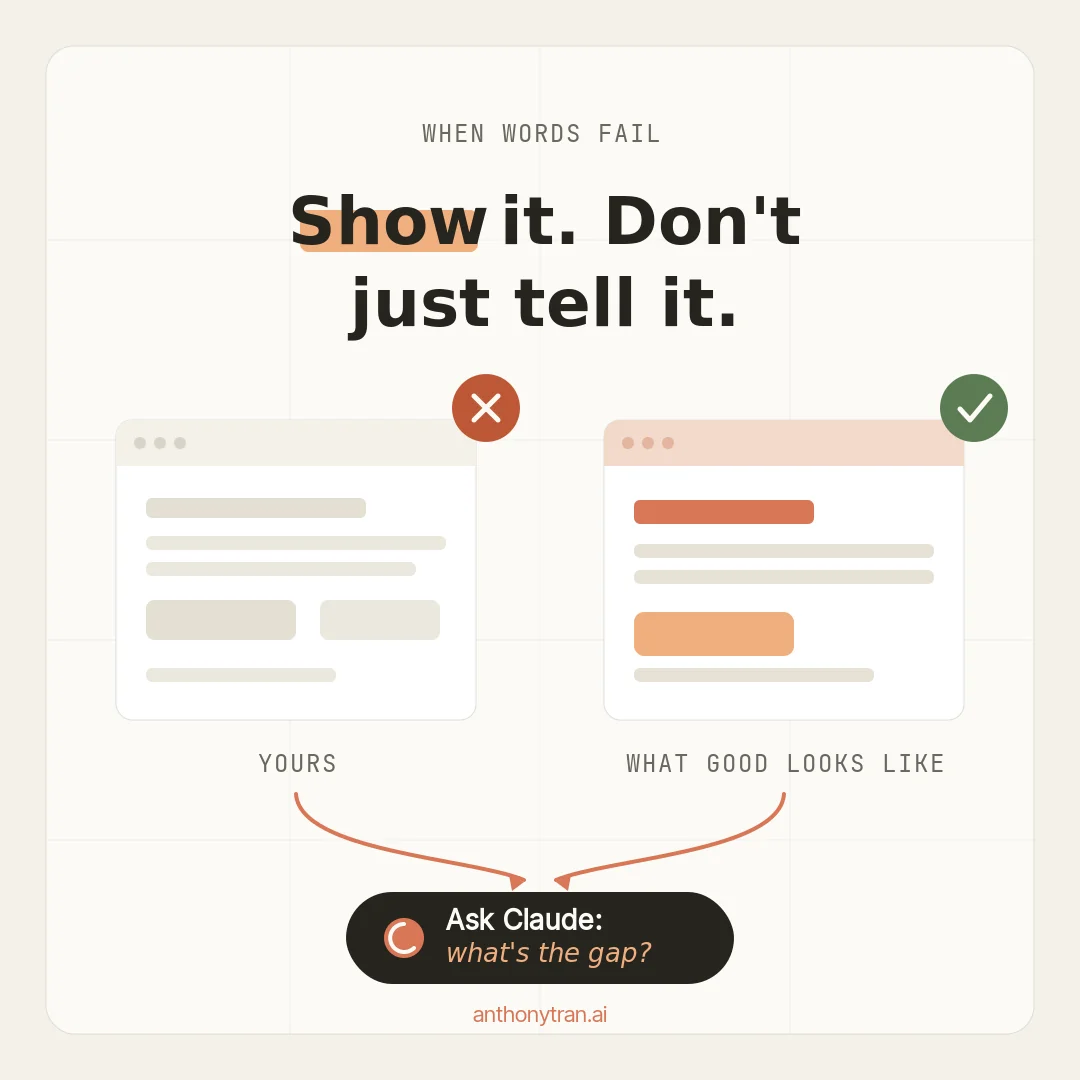
I do this all the time. Sometimes I cannot describe what is off about a design.
I do not have the right words for it, and I am not sure how to ask. So I stop trying to explain and just show it.
Here is the bad example, here is the good one, help me close the gap. Trust me, you do not have to be great at prompting for this to work. Sometimes you just have to point at the thing.
Power move 2: you’re still the expert, so check the work
Claude will hand you a strong first draft. That does not mean it is right.
It can sound confident and still be wrong, especially with specific facts or a niche you know well. I wrote a whole post on how AI will invent specifics if you let it, and the lesson holds here too.
I have been a marketer for 13 years. When Claude hands me marketing work, I do not take it at face value.
I read it against what I have actually lived through. Some of it I keep, some of it I fix, and some of it I throw out.
That judgment, the part where a real person with real experience says “no, that is not quite right,” is the thing AI cannot do for you. You are the human in the loop, and that is the whole job.
So how do you know when you can actually trust Claude for a task? Test it on work you already know the answer to.
Anthropic calls this an eval, which is just a fancy word for a small test. Take a task you already did by hand, ask Claude to do the same one, and compare the two.
If it matches what you already know is right, you can lean on it next time. If it misses, you have learned exactly where you still need to do the work yourself.
A habit I lean on is a second set of eyes. I will run a draft through a different AI before I publish it, because a fresh model often catches what the first one missed.
The point either way is the same. You stay in charge of the final call.
Anthropic has a name for these skills, by the way. They call it AI Fluency, and two of the four parts are exactly this: judging whether the output is any good, and owning the result as yours.
You do not need the framework to do it. You just need to remember that the output is a draft until you say it is not.
One quick word of caution
This whole post is about checking the work, so I will keep this short. Claude can be confidently wrong, so verify anything that matters before you act on it.
Be careful pasting in sensitive client or customer information, and know your plan’s privacy and memory settings first. And do not treat what it says about legal, medical, financial, or tax questions as professional advice.
Brief it well, then check it like you would a sharp new hire.
Put This Into Practice
Two things to try this week.
First, the next time a design or a layout will not come out right, stop explaining and show it. Here is the prompt to paste along with two screenshots.
I am attaching two images. The first is mine, and I am not happy with it. The second is an example I like.
Compare them and tell me what the real difference is, why mine looks off, and the specific changes that would get mine closer to the one I like.
If anything is unclear, ask me before you guess.
Second, pick one task you do over and over, and run a quick eval on it. Do the task the way you always do, then ask Claude to do the same one, and compare. You will learn fast whether you can hand that task off, or whether it still needs your hands on it.
The whole thing in one line
Claude’s first answer is a draft. Show it what you actually see, and check what it gives you, and you stop getting generic junk and start getting work only you could have made. Go ahead and try both moves on one real task tonight.
~ Anthony
Frequently asked.
Why does Claude give wrong or generic answers?
Usually because it is missing context only you have, or you are treating the first answer as the final one. Claude only knows what you put in front of it. Add the missing detail, show it an example of what you want, or start a fresh chat, and the answer gets better.
Can Claude see images or screenshots?
Yes. Claude cannot see your screen live, but it can look at an image you attach. That is why screenshots work so well. You can show it a problem, or show it a bad example next to a good one and ask what the difference is.
Should you trust Claude's first answer?
No, not blindly. Claude can sound confident and still be wrong, especially on specifics and niche topics. Treat the first answer as a strong draft, then check anything that matters against what you actually know before you use it.
Stop re-explaining yourself to Claude.
Grab the free AI Starter Kit: my exact Claude setup, so it knows your business. Plus the lessons as they land.
Anthony Tran
13 years in marketing and an Air Force veteran. I use Claude every day to market and grow my own business, and I break down what works in plain English. Writing and recording from Arizona.