
You have probably used AI by now. Claude is one of the big ones, and calling it a chatbot sells it short. Here is what it actually is, in plain English.
What is Claude AI?
Claude is an AI assistant made by a company called Anthropic. You talk to it in plain English, the same way you would text a coworker, and it helps you write, plan, research, and think through your work.
Anthropic designs it to be helpful, honest, and safe. The simplest way to picture it is not a search box, but a sharp assistant who sits next to you and never gets tired.
You bring the context. It helps you turn that context into something useful.
You can use it on the web, on your computer, or on your phone. If you already use ChatGPT or something like it, you might be wondering why you would bother with another one.
Fair question. Claude is a close cousin, with its own personality and a few things it is especially good at.
So the real question is not “is this another chatbot. It is “what can a tool like this actually do for my business,” and that is what I want to walk through.
Most of what follows comes straight from Anthropic’s own free Claude 101 course. I pulled out the parts that actually matter and put them in plain English, so you do not have to dig through all of it.
More than a chatbot: why that difference matters
The word chatbot makes you picture a little box where you type a question and get an answer back. That is the small version of what is happening here.
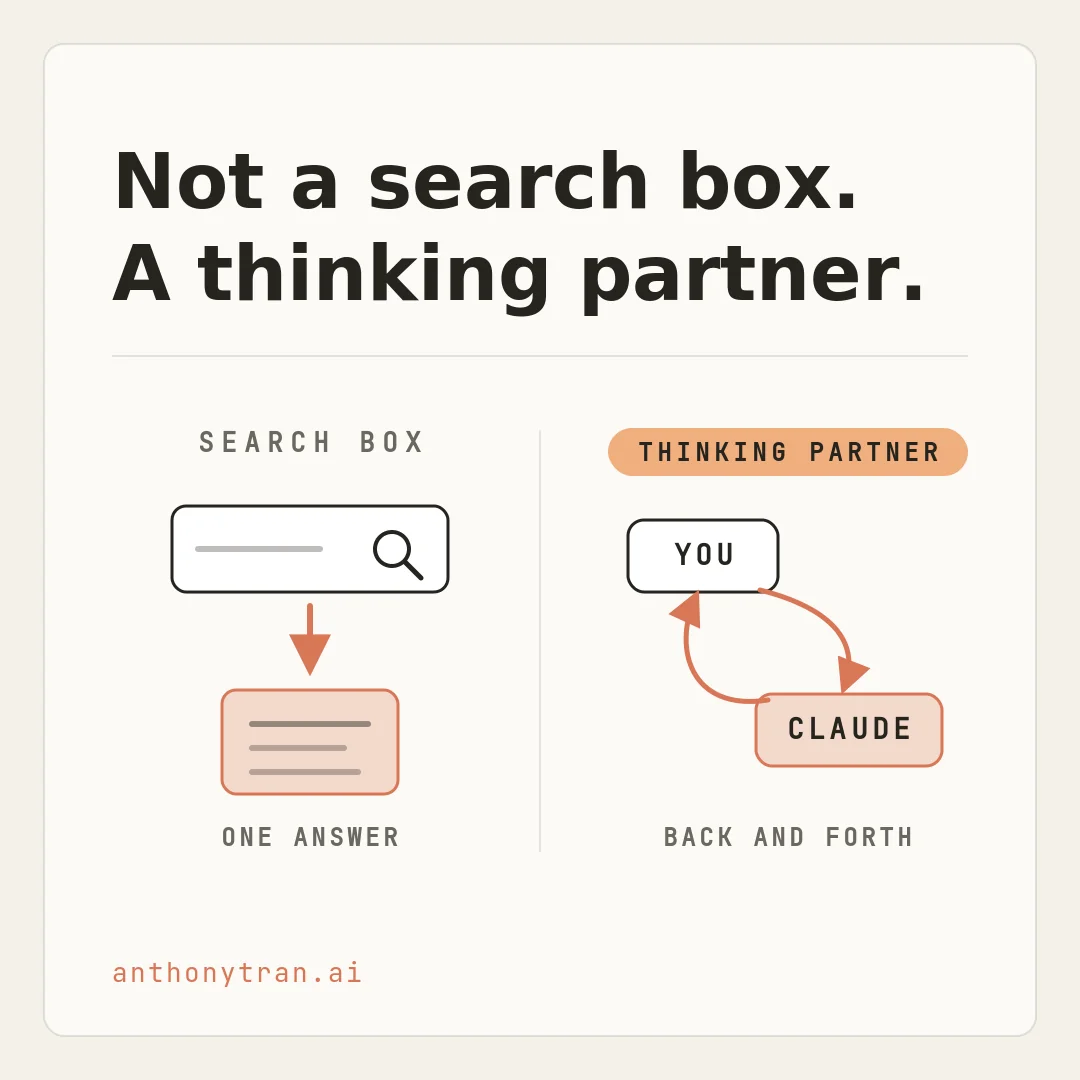
The bigger version is that Claude is a thinking partner. You are not just looking things up, you are working something out together.
You hand it a messy problem, it asks you questions, you push back, it adjusts. For someone running a business, that is the difference between a tool that answers trivia and a tool that helps you get real work done.
A search box gives you answers. A thinking partner helps you do the work.
That matters because most of what eats your week is not a question with a clean answer. It is a half-written email, a post you keep putting off, a pile of notes you need to turn into something. A work partner like that is built for exactly that kind of mess.
What makes Claude different
A few things stand out, especially if you run a business and do not write code.
- You talk to it like a person. There is no special computer language to learn and no prompting course you have to take first. You type what you want, the way you would say it out loud, and it answers.
- You can steer it. You can tell it to be shorter, warmer, more direct, or to sound like you instead of a robot. That is a big deal, and it is most of the work in making AI sound like you.
- It is designed to be honest, but you still check it. Anthropic trains Claude on a set of guiding principles, an approach they call Constitutional AI. In plain terms, it is taught to be helpful, honest, and to avoid harm. When it is unsure, it will often say so instead of making something up. But no AI gets everything right. It can miss context or make confident-sounding mistakes, so you read its work the way you would check a sharp new hire, not a finished product.
- It can handle a lot at once. You can hand it a very long document, in some cases hundreds of pages, and ask questions about material you do not have time to read line by line. That is what makes it useful for research and for making sense of a big stack of material.
None of that requires you to be technical. Trust me, I am not a coder, and I use it every day. That is the whole point.
How I actually use Claude in my business
Let me show you with something small and real. Say I need a short post for my audience, the kind of thing I have to write every week.
Here is how most people start. They type “write me a social media post about AI,” and what comes back is fine, but completely generic.
It could have been written by anybody, about anything. It does not sound like me and it does not talk to my people.
This is the moment a lot of folks decide AI is not for them. But the problem is not the AI. It is that we did not tell it anything.
So I do it the real way. I tell it who I am, a marketer talking to other business owners who are short on time.
I tell it who I am writing for and what I want, a short post, calm, no hype, about using AI without it eating your day. Look at that.
Same tool, completely different result. This time it sounds like something I would actually say, because I gave it the context only I have.
And here is the most useful habit in all of this. That first answer is not the final answer.
It is a draft. You do not take it and run, you talk to it.
Make the opening sharper, cut that last line, say it more like me. You go back and forth until it is right, the same way you would with a real assistant. That back and forth is the skill, and anybody can do it.
How to start
You get to Claude by going to claude.ai, or by installing the desktop app or the phone app. Sign in and your conversations follow you across all of them. There is a free plan to start, so you can try it without paying anything.
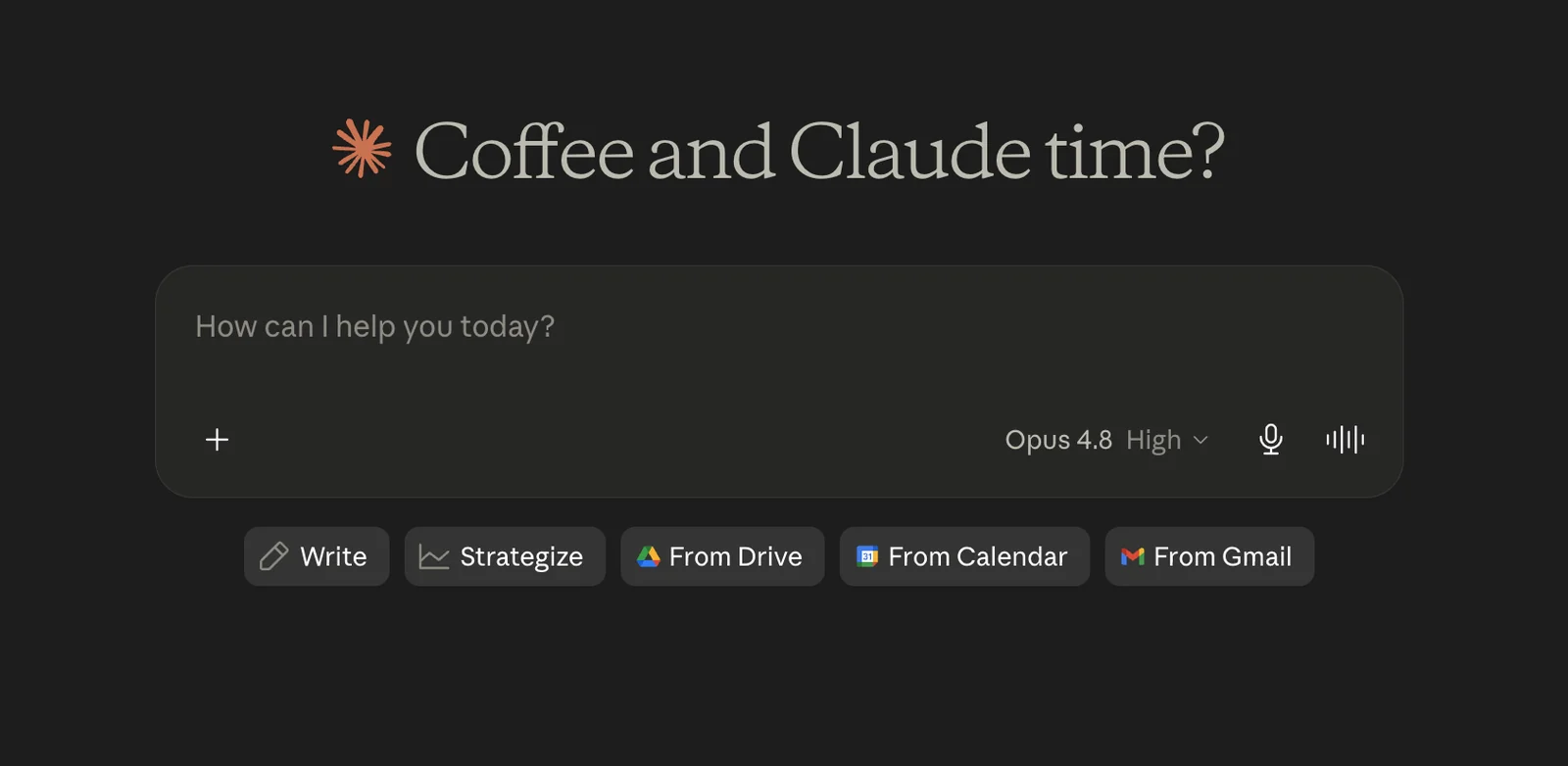
Your first move is simple. Here is what you want to do.
Pick one task you already do every week, something you keep putting off or something that drains you, and bring just that one thing to Claude. Give it the context only you have, then shape the draft until it sounds like you.
That first small win is the thing that makes the rest click.
If you want the deeper why behind all of this, it is the same reason I am rebuilding what I do with AI in public. The tools finally caught up to people like us.
One quick word of caution
Claude is useful, but it is not magic. A few things to keep in mind.
Do not assume the first answer is correct, check anything that matters before you act on it. Be careful with sensitive client or customer information, and know your plan’s privacy settings before you paste it in.
And do not treat what it says about legal, medical, financial, or tax matters as professional advice. Use it like a sharp assistant, not the final word.
Put This Into Practice
The fastest way to feel the difference is to stop giving Claude a one-line order and start giving it your context. Here is a prompt you can paste in and reuse.
I run [type of business]. My customers are [who they are and what they care about]. I am working on [the task, like a short post for my audience]. Before you write anything:
- Ask me up to 3 questions to get the context only I have.
- Then write a first draft in a calm, plain, no-hype tone that sounds like a real person, not a robot.
- After the draft, tell me what you would change to make it stronger.
Keep it honest. If you are not sure about a fact, say so instead of guessing.
If the first draft is not quite right, do not start over. Tell it what to fix and let it try again. That is the real work, and it is easier than staring at a blank page.
The point is what it gives you, not what it is
So here is where I land. Claude is a thinking partner you talk to in plain English.
You do not code and you do not prompt-engineer. You have a conversation, you give it your context, and you shape the draft until it sounds like you.
It is not here to replace you. The taste, the story, the judgment, that is all you, and it can still make things up if you let it, so you stay in the driver’s seat.
It is just a fast, sharp thinking partner, ready whenever you are. Go ahead and open it tonight, give it one real task, and see what it does with the context only you can give it.
~ Anthony
Frequently asked.
What is Claude AI used for?
Claude is an AI assistant from Anthropic that helps you write, plan, research, and analyze by talking to it in plain English. Business owners use it for things like drafting posts and emails, making sense of long documents, and thinking through problems. It works on the web, desktop, and phone.
Is Claude AI the same as ChatGPT?
They are the same kind of tool, an AI assistant you talk to, but they are made by different companies and have different strengths. Claude is made by Anthropic and is known for writing, honesty, and handling long documents. If you already use ChatGPT, Claude will feel familiar.
Do you need to know how to code to use Claude?
No. You talk to Claude in plain English, the same way you would text a coworker. There is no special language or prompting course required. The real skill is giving it the context only you have and shaping its draft through back and forth.
Stop re-explaining yourself to Claude.
Grab the free AI Starter Kit: my exact Claude setup, so it knows your business. Plus the lessons as they land.
Anthony Tran
13 years in marketing and an Air Force veteran. I use Claude every day to market and grow my own business, and I break down what works in plain English. Writing and recording from Arizona.