
I had the same rules typed into four different Claude config screens. Then I sorted them into three layers, each with a clear scope, and the drift stopped.
The cleanup that fixed my Claude config
Right after I set up the Obsidian vault, I sat down to point Claude at the new folder. That is when I noticed how messy my settings had become.
I had personality rules in three places. The em dash ban was typed into Claude’s general settings AND Cowork global settings AND a couple of separate project instructions.
File paths inside one config still pointed at the old “about-me folder” on my Desktop, even though I had moved everything into the new vault. Required reading instructions had stale references.
The Cowork global settings duplicated what my project CLAUDE.md already covered.
Nothing was broken. Nothing was wrong, exactly. Everything was just in slightly the wrong place.
So I spent an evening cleaning it up and ended with three layers, each with a clear scope. Once I knew where everything belonged, the drift stopped.
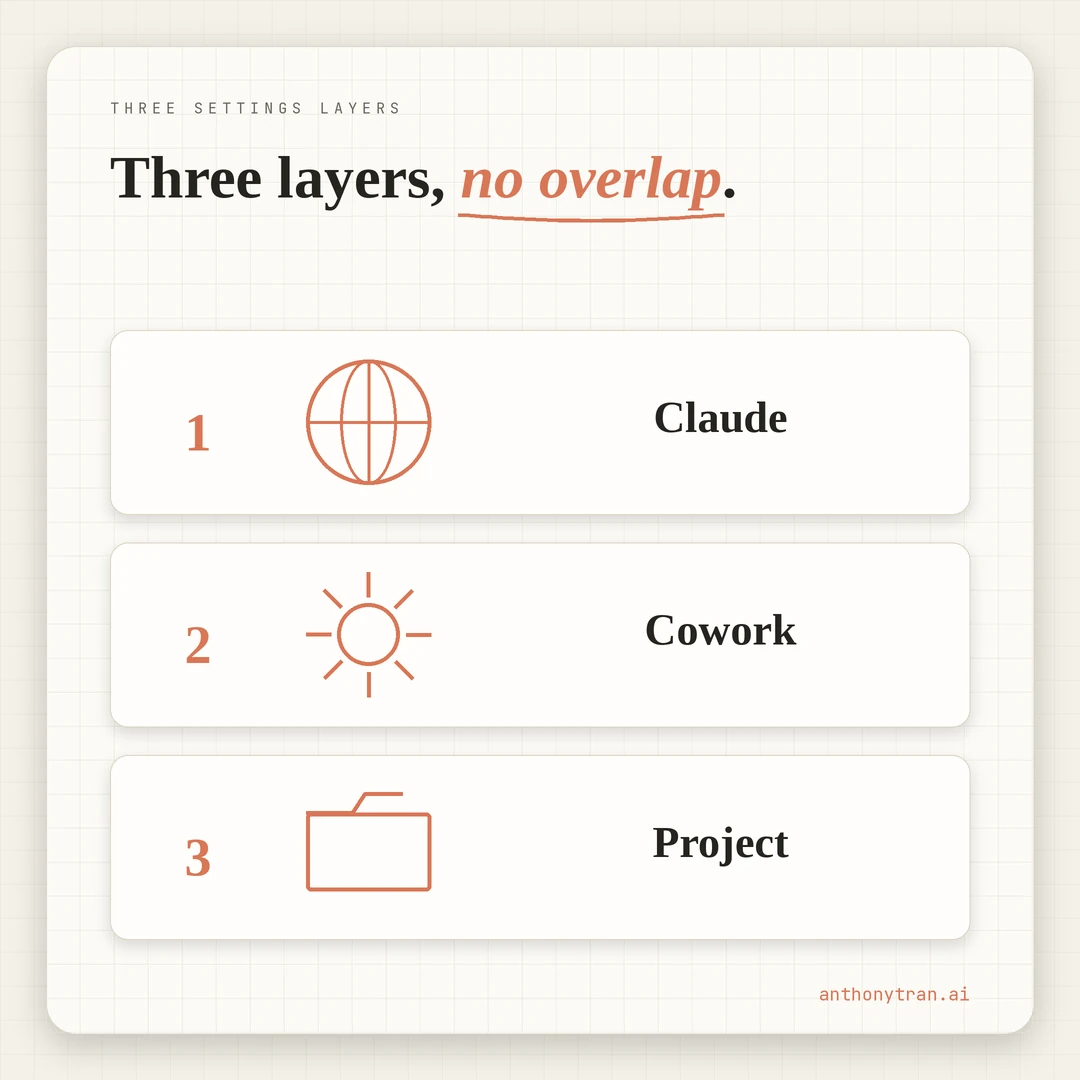
Layer 1: General Settings (who you are)
The top layer is Claude’s general account settings. This applies to every Claude conversation you ever have. Regular chat, projects, Cowork, whatever surface you use, it travels with you.
My Layer 1 holds the things that are true about me, not about a specific project or workspace. Who I am in one sentence.
The voice rules that never change, including short sentences, simple words, never em dashes, and a list of banned phrases. The tone I want (talk to me like a smart direct friend, not an assistant). My honesty preference (challenge me when it helps).
That is it. No file paths.
No project context. No tool stack. Nothing that depends on which workspace I am in.
The test for Layer 1: would this rule still apply if I opened a brand new Claude conversation on my phone with no project loaded? If yes, it belongs here. If it depends on Cowork or a specific folder, it goes downstream.
Layer 2: Cowork Global Settings (how you work in Cowork)
The middle layer is Cowork’s global instructions. This applies to every Cowork session, regardless of which project you are in. It does not apply to regular chat or non-Cowork surfaces.
My Layer 2 holds the things that are true about how I work in Cowork specifically. Cowork-wide startup behavior, like “check the project’s CLAUDE.md before editing files” and “summarize your plan before making changes.
Safety rules (never delete files without confirming, never send emails without showing me the draft). The tool stack I use day to day.
Content restrictions (forbidden topics, day-job protection rules). Auto-trigger skills (always run humanizer before publishing, always run fact-checker on data).
Layer 2 is where most of my real working rules live. It is the layer that turns Cowork from a generic file-editing tool into my working environment.
But it does not need to be repeated in Layer 1, because none of it applies outside Cowork. And it does not need to be repeated per project, because all my Cowork projects share the same operating rules.
Layer 3: CLAUDE.md in the project (what this project is)
The bottom layer is the CLAUDE.md file at the root of each project folder. Cowork reads it automatically when you open the project. It applies only to that project.
My Layer 3 holds the things that are true about this project specifically. For the AI Brain vault: vault navigation, folder structure, file naming rules (lowercase-hyphen for files, Title Case for folders), wiki-style internal links, the project-specific reading list (about-me.md, writing-rules.md, memory.md, global-instructions.md, all in the Context folder), and the rule that Knowledge articles cross business boundaries while project files do not. For a different project, Layer 3 would hold completely different content.
The CLAUDE.md file lives on disk inside the vault. It travels with the project.
If I move the project to a different machine, the project context goes with it. The portability is in the markdown itself, not the filename.
If I switch to a tool that expects AGENTS.md or a different config file, I can rename or bridge the file rather than rebuild the context from scratch.
This is where the four foundation files belong for this vault. CLAUDE.md is the entry point that tells Claude which files to read at session start.
Where each rule actually belongs
Once the layers are set up, the rule for placing any new instruction is simple. Ask one question: “Where does this rule apply?”
If the answer is “everywhere, on every Claude surface,” it goes in Layer 1. If the answer is “every Cowork session, but not regular chat,” it goes in Layer 2. If the answer is “only this project,” it goes in Layer 3.
A concrete example. The rule “never use em dashes” applies to every Claude surface I touch.
So it lives in Layer 1, and only Layer 1. Before the cleanup, I had it typed into all three layers and one project instructions box.
The same rule, four times, slowly drifting between them whenever I would update one and forget the others. Now it has one home.
Another example. The rule “read the four foundation files at session start” is Cowork-specific.
Regular Claude chat does not have files on disk to read. So that one lives in Layer 2, the Cowork global settings.
A third example. The vault naming conventions (“files use lowercase-hyphen, folders use Title Case, wiki links use double brackets”) are specific to the AI Brain vault.
They go in Layer 3, the CLAUDE.md at the root of the vault folder. The universal “never delete without asking” rule already lives in Layer 2, so I do not repeat it here.
Each rule lives in exactly one place. No duplication.
No drift. If the rule changes, you update it in one spot and every place that uses that layer sees the same version.
Quick reference for where things go:
- Voice, tone, banned phrases
- Personal identity and preferences
- Cowork safety rules
- Auto-trigger skills
- Content restrictions
- Cowork-wide startup behavior
- Project folder structure
- File naming and link conventions
- Project-specific reading list
- Temporary overrides only
- Clear out after use
A small but real benefit: in my setup, the Cowork “project instructions” box (the one that appears when you set up a project pointed at a folder) usually stays empty. Cowork global settings cover everything universal.
CLAUDE.md covers everything project-specific. I only use the project instructions box for temporary overrides or quick experiments, and I clear them out after. Otherwise it becomes a third place for rules to drift.
Put This Into Practice
If your Claude config is a quiet mess like mine was, you can audit it in one Cowork session. Block 30 minutes.
Open Claude. Paste this in.
I want to clean up my Claude settings into three clear layers. Walk me through this audit one step at a time.
Step 1: Help me list every place I currently have Claude rules, instructions, or context. Common places include Claude general settings, Cowork global instructions, the Cowork project instructions box, CLAUDE.md files in any project folders, and foundation files like about-me.md or writing-rules.md.
Step 2: For each rule I list, ask me one question: where does this rule apply? Everywhere on every Claude surface? Every Cowork session? Only one specific project? Help me sort each rule into the right layer.
Step 3: Tell me which rules are duplicated across layers. Show me the duplicates side by side so I can see what is drifting.
Step 4: Generate a clean version of each layer with the rules sorted into the right home. No duplicates. Each rule appears in exactly one layer.
If anything I describe is unclear, ask before sorting.
When you are done, every rule has one home. The next time you change something, you change it in one place. The rules cannot drift because there is no second copy to drift from.
What I would not do again
I would not paste the same writing rules into multiple Claude surfaces “to be safe.” That is the move that creates drift. Each rule lives in one layer or it ends up living in none of them well.
I would not put project-specific file paths in Cowork global settings. Global is for things that apply across every project. The moment you put a path to a specific folder there, you have leaked Layer 3 content into Layer 2.
I would not skip CLAUDE.md and try to handle project context entirely through Cowork’s project instructions box. The box is fine for a quick override, but the file at the root of the folder is the real source of truth. It travels with the project, lives on disk, and gets backed up to GitHub like everything else.
The three-layer model is boring. That is the feature.
Boring stays put. Clever drifts.
~ Anthony
Frequently asked.
What are the three layers of a Claude settings stack?
Layer 1 is Claude's general settings (your personality, tone, ban list, applies to every Claude surface). Layer 2 is Cowork global instructions (safety rules, content restrictions, auto-trigger skills, applies to all Cowork sessions). Layer 3 is the project CLAUDE.md and Context files (what this specific project is, loaded only when you work in that project).
Why split Claude settings into three layers instead of one big config?
Each layer has a different scope. General settings travel with you across every Claude surface. Cowork global is for how you work inside Cowork specifically. Project CLAUDE.md is for what THIS project is. Mixing scopes leads to drift, redundancy, and rules that fire in the wrong place.
What goes in CLAUDE.md vs the Cowork project instructions box?
If CLAUDE.md sits at the root of your project folder, it gets read automatically when Claude opens that folder. The project instructions box in Cowork can stay empty because CLAUDE.md covers it. Pasting the same content into both creates redundancy and drift.
Stop re-explaining yourself to Claude.
Grab the free AI Starter Kit: my exact Claude setup, so it knows your business. Plus the lessons as they land.
Anthony Tran
13 years in marketing and an Air Force veteran. I use Claude every day to market and grow my own business, and I break down what works in plain English. Writing and recording from Arizona.