
A skill is how you stop explaining the same process to Claude over and over. You teach it once, and Cowork runs that job far more consistently from then on. Best part: you build it by talking, not coding.
What is a Claude skill?
A skill is a reusable playbook. Technically it is a small folder of files, but think of it as a runbook you hand a new coworker: here is how we do this kind of work around here. Once you have it, Cowork loads that playbook when a matching task comes up and follows it, so the work comes out more consistent.
The nice part is you do not have to remember it is there. Claude notices when a task matches a skill you have installed and uses it on its own.
You can also be explicit when you want, like “use my board-memo skill. Either way, you teach the process once and stop re-explaining it every time.
It is not perfect, Claude can miss a match or reach for the wrong skill, so you still eyeball what comes back. But most of the time it just works.
This is the third of the four building blocks from an earlier lesson. And before you worry that this sounds technical: I am not a coder, and I have built a whole stack of my own skills.
Every one started the same way, me getting tired of explaining the same thing to Claude twice. Some skills are just written instructions, no code at all.
Others carry a bit of code, and even then you do not write it, Claude does, though you will want to check it before you lean on it.
What goes inside a skill
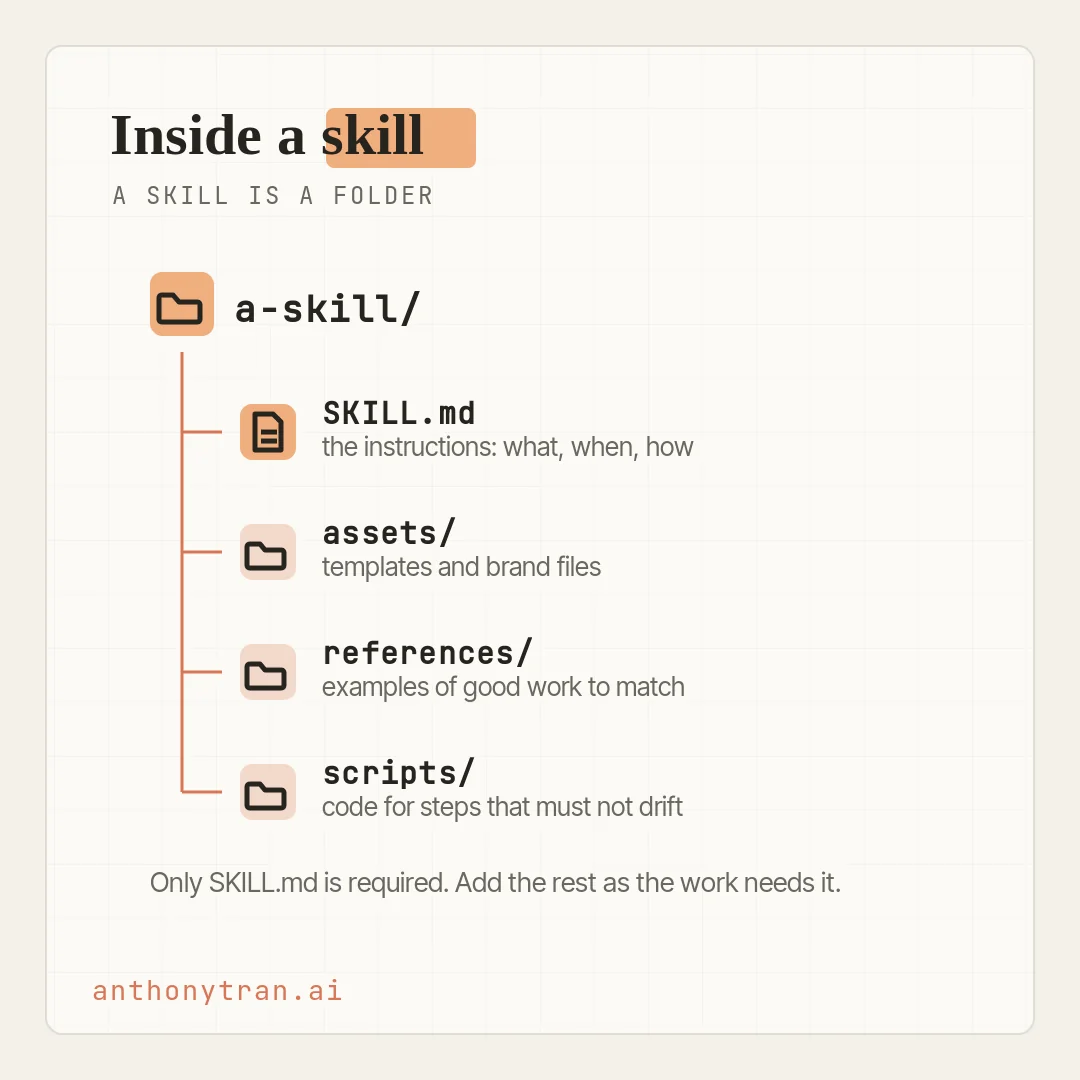
A skill is more than one long instruction. It usually has four common parts, and only the first is required. Together they let you pin down a process well enough that Cowork runs it much more like your team would.
- Instructions. The main brief, a file called SKILL.md. It starts with a name and a short description, and that description is what helps Claude figure out when to reach for the skill. Then it lays out what the skill does, when to use it, and how, written like a runbook for a new hire.
- Assets. The raw materials: your logo, your slide template, your brand fonts. So the output actually looks like yours.
- References. Examples of good work: past pieces, a style guide, the bar you would hand a new teammate and say “match this.”
- Scripts. Small bits of code for the parts that should run the exact same way every time, like a calculation. You do not write these, Claude does. Just have Claude walk you through what a script does and test it on real numbers before you trust it, especially for anything with money or legal weight.
That is the common setup, not a hard limit. A skill can hold other files when the work needs them, and plenty of skills are just the SKILL.md and nothing else.
The mix follows the work
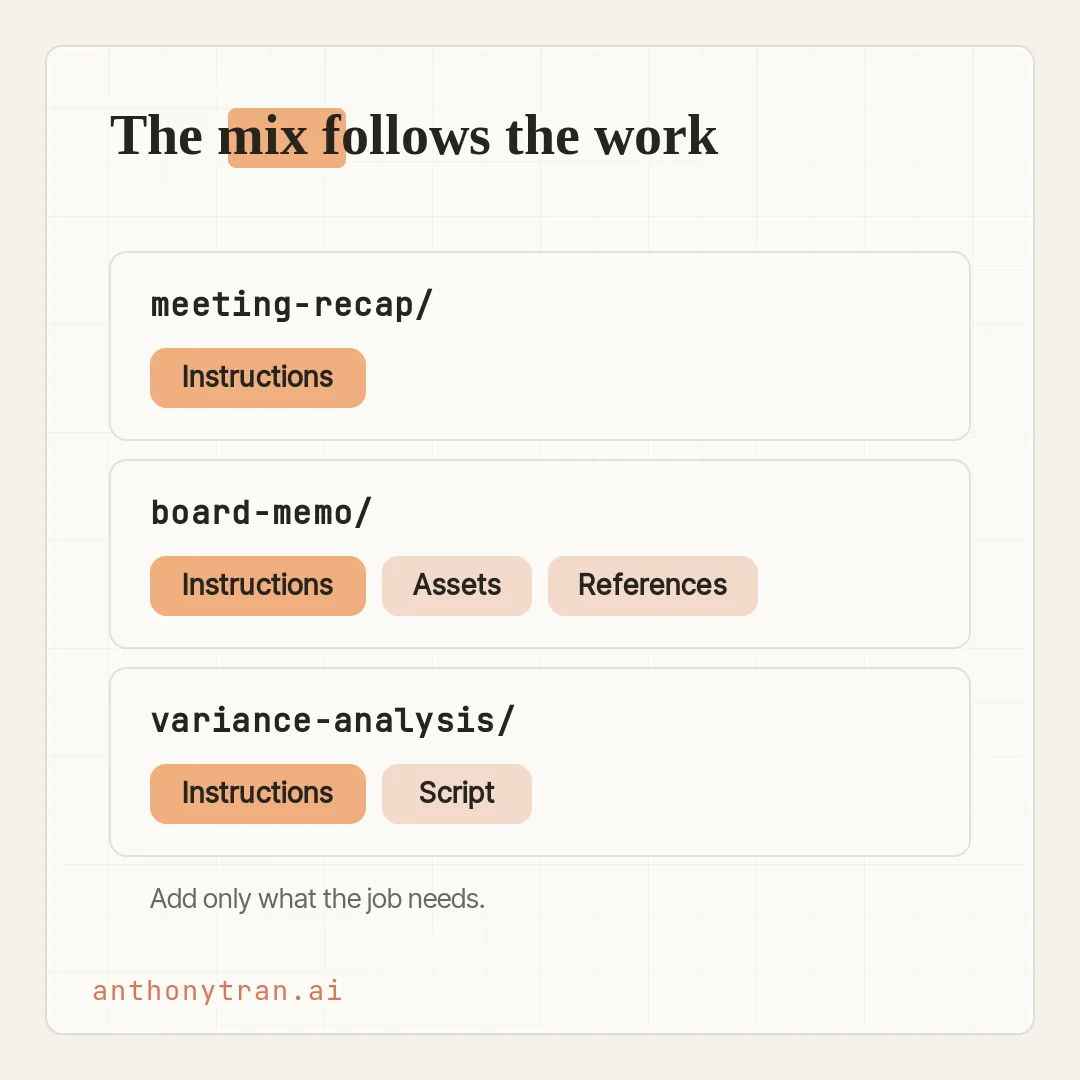
You do not need all four. Most skills use only what the job actually calls for.
The simplest skill is one instruction file and nothing else. A meeting-recap skill can just be the rules: the format, the sections, the length.
Lock it in once and every recap comes out the same shape. A board-memo skill might add your slide template and two of your best past memos, so the deck looks right and matches your tone.
A finance skill might add a script that runs the same calculation every month, so it comes out the same way each time, though you still check it against a month you already know. Include what the work needs, and nothing more.
Build one by talking to Claude
Here is the part that makes this doable for anyone. The fastest way to build a skill is to have Claude build it with you.
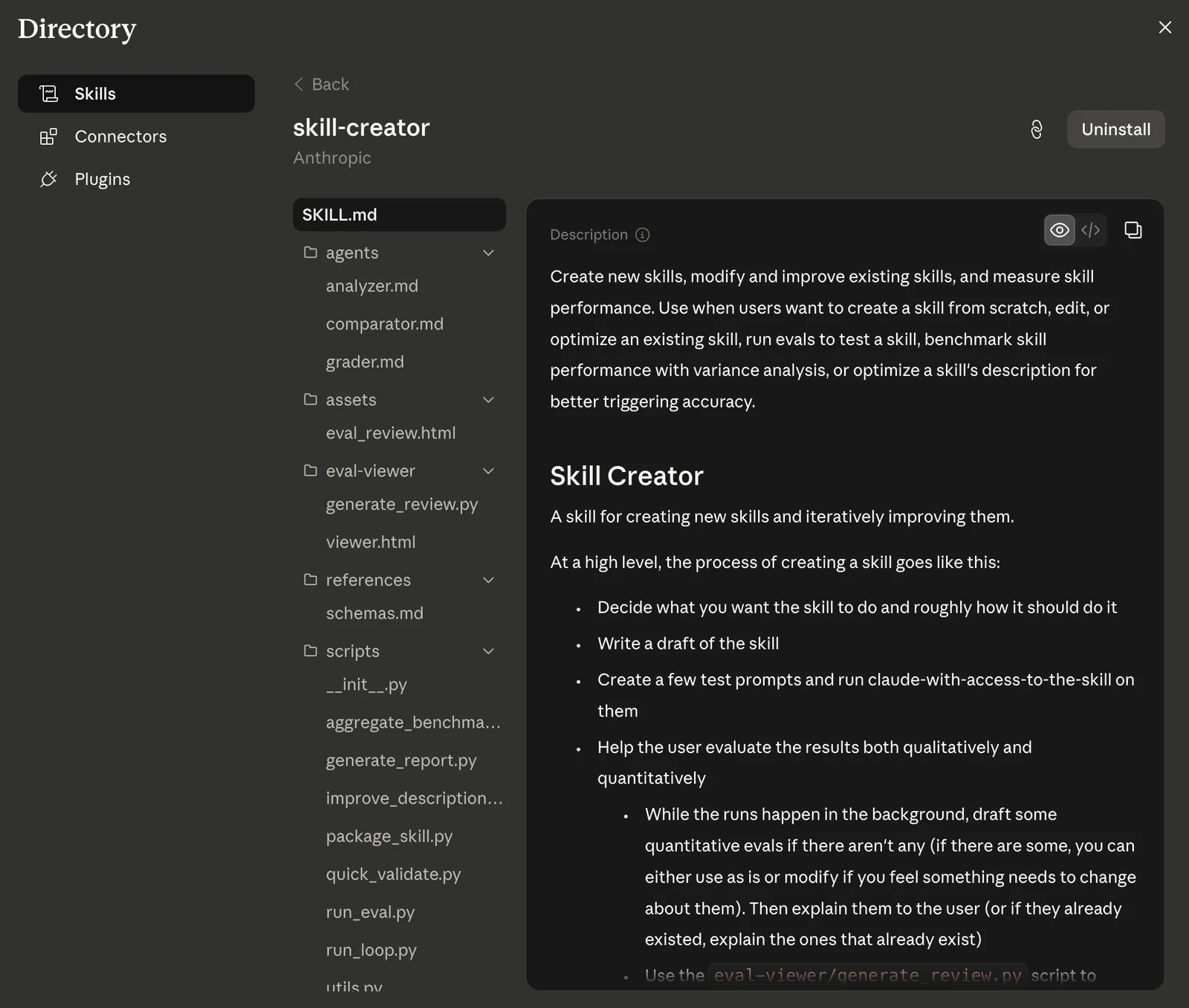
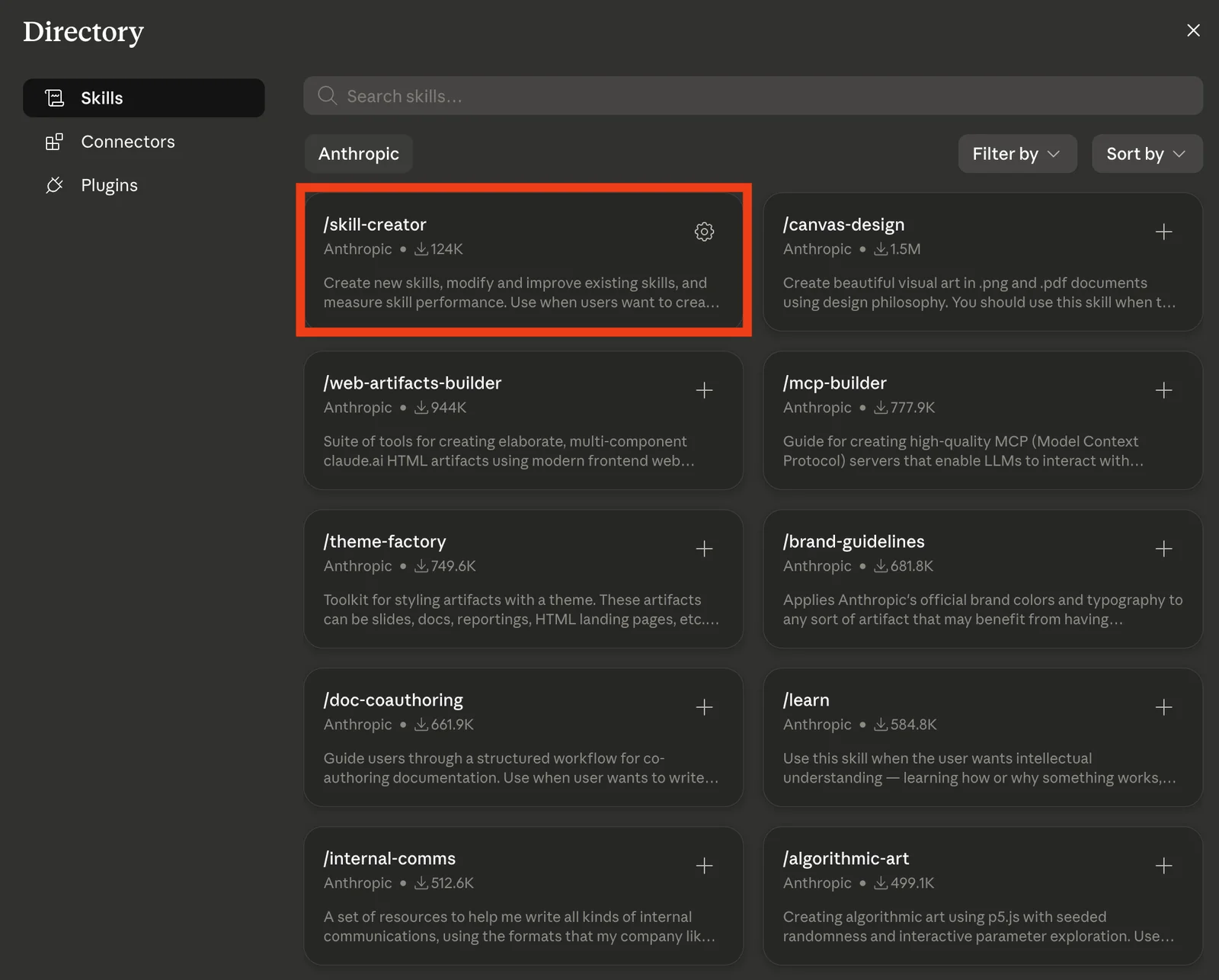
There is one official Anthropic skill that makes this even smoother, and it is the only one I bother installing from the directory: skill-creator. It teaches Claude the whole craft of building a skill, drafting it, testing it, and tightening the description so it triggers at the right time.
So instead of making skills by hand, I just let Claude run the process. Grab it once, and building a skill becomes a conversation.
Start from something you have already done well, not a blank page. Give Claude the finished piece, the files you used, and the corrections you made along the way, and ask it to pull the repeatable method out of that. A skill built from real work beats one Claude invents from scratch.
Open a new conversation in Cowork and say something like: “I want to build a skill for [the process you are tired of re-explaining]. Here is a real example I did well.
Walk me through what you need to know. Claude asks a few questions: what the skill should do, when it should kick in, what good output looks like, what materials it should use.
Answer specifically and point at the real stuff, your actual template, a couple of real past pieces. Claude hands back a skill folder for you to review and install.
Once it is in, you find it under Customize. Before you rely on it, run a couple of real tasks it should handle, plus one it should not, and check the output against your own work.
If it fires on the wrong thing or misses, tell Claude to tighten the description, that little name-and-description line is what decides when it triggers. Want to change the skill later?
Open it, tell Claude the fix, like “flag any deal over $100K that slipped,” then review and retest the new version. A skill works in any conversation, including inside a project, so your finance skill shows up whenever finance work is the task.
One caution before you feed it your real work: keep passwords and private client details out of a skill’s files, and be careful installing a skill someone else built, since it can carry hidden instructions or code. Have Claude look it over first.
My rule for when to build one
I do not sit down and plan out my skills. I use a simple rule instead.
If I catch myself asking Claude to do the same kind of task a third time, and it is something with a repeatable shape, I stop and have it build me a skill for it. From then on I never re-explain how I like that job done. It is baked in.
Do that for a while and they add up. I have somewhere around fifteen or twenty now, and the pile keeps growing, one real annoyance at a time.
Here is the trap to skip. You will see people online showing off their skills, and it is easy to feel like you need all of them.
You do not. A skill someone else swears by only helps if it fits how you actually work.
The directory is full of them, but the only one I install is skill-creator. The rest of mine, I built for my own week.
Put This Into Practice
Pick one process you repeat, a report you run, a format you always use, a checklist you follow. Then hand the whole build to Claude with this.
I want to build a skill for [a recurring process I have already done well]. Start from a real example, not a generic one. I will give you the finished piece, the files I used, and the corrections I usually make. Ask me one question at a time: what it should do, when it should kick in and when it should not, what good output looks like, and what templates or examples it needs. Then build the skill folder for me to review and install. Do not add code unless the instructions truly cannot do the job, and if you do, explain what the script does and how I can test it.
Keep it plain. I am not a developer.
Answer its questions, point it at your real work, and you will have your first skill by the end of one sitting.
Teach it once, then keep it sharp
So here is where I land. A skill is how you take a process out of your head and hand it to Cowork.
The instructions say what to do, the assets give it your materials, the references show it the bar, and the scripts handle the parts that should not drift. You do not have to build all of that, and you do not have to write any of it. You just have to describe the work.
Pick the one thing you explain to Claude most often, ideally something you have already done well, and build that into a skill this week. Test it on a couple of real tasks, tweak the description if it misfires, and update it when the process changes. That is the clearest way to feel Cowork start to work like it actually knows your job.
~ Anthony
Frequently asked.
What is a Claude skill?
A skill is a reusable playbook, really a small folder of files, that teaches Claude how to do a specific kind of task the way you want it done. When you start a task that matches, Cowork loads the skill and follows it, so the work is more consistent. It will not catch every match perfectly, so a clear description and a little testing help it fire at the right time.
Do you need to code to build a Claude skill?
No. You describe the process to Claude in plain English, point it at real examples and templates, and it builds the skill folder for you, including any small code parts. You review it, test it, and use it. For any code part, have Claude explain what it does and test it before you trust it with real work. If it needs a change later, you tell Claude the correction, then review and retest.
What is inside a Claude skill?
Four common parts. A required SKILL.md, the brief, which also carries a name and description that tell Claude when to use it, plus optional assets (templates and brand files), references (examples of good work), and scripts (small code for steps that must run the same way). It can hold other files too. Many skills are just the SKILL.md, and that is fine.
Does Claude always use a matching skill?
Not always. Claude checks your installed skills and loads the ones it judges relevant, but it can miss one or lean on it for the wrong task. A clear name and description, plus a bit of testing after you build it, are what make it trigger reliably.
Stop re-explaining yourself to Claude.
Grab the free AI Starter Kit: my exact Claude setup, so it knows your business. Plus the lessons as they land.
Anthony Tran
13 years in marketing and an Air Force veteran. I use Claude every day to market and grow my own business, and I break down what works in plain English. Writing and recording from Arizona.