
The first time you use Claude Cowork, it works like a sharp generalist who just walked in. With the right reusable context, it can start to feel like a teammate who has read your playbook. Four building blocks are how you get there.
How does Claude Cowork get better at your work?
Here is the part that trips people up. Cowork does not quietly learn your whole business just because you keep using it. It gets better when you deliberately hand it context it can reuse, and each kind of context works at a different level.
That is what the four building blocks are: four ways to give Cowork reusable context. One touches every session.
One holds a single stream of work. One saves a specific procedure.
One bundles a whole role’s worth of setup. You do not need all four, and you do not need them today.
But knowing what each one is tells you what to reach for when.
You already handed Cowork your first task in the last lesson. This is how you make the next hundred go smoother.
Building block 1: global instructions
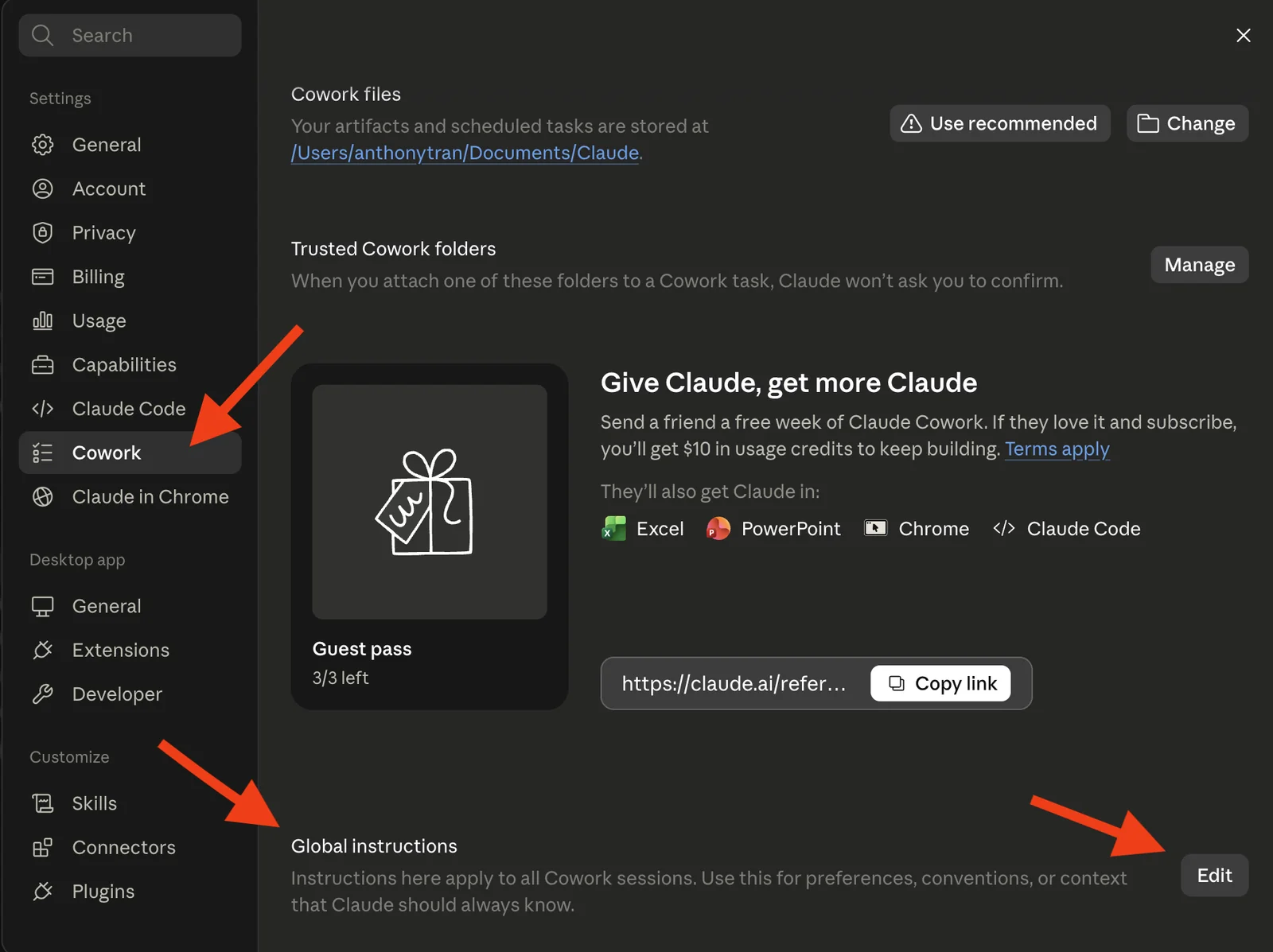
Global instructions are standing notes you set once, in Settings, and they apply to every Cowork session. Put the stable stuff here: your role, your business in a sentence, how you like things written.
With them in place, every session starts already knowing the basics about you, instead of you repeating yourself each time. Keep project-only details and anything sensitive out of them.
Building block 2: projects
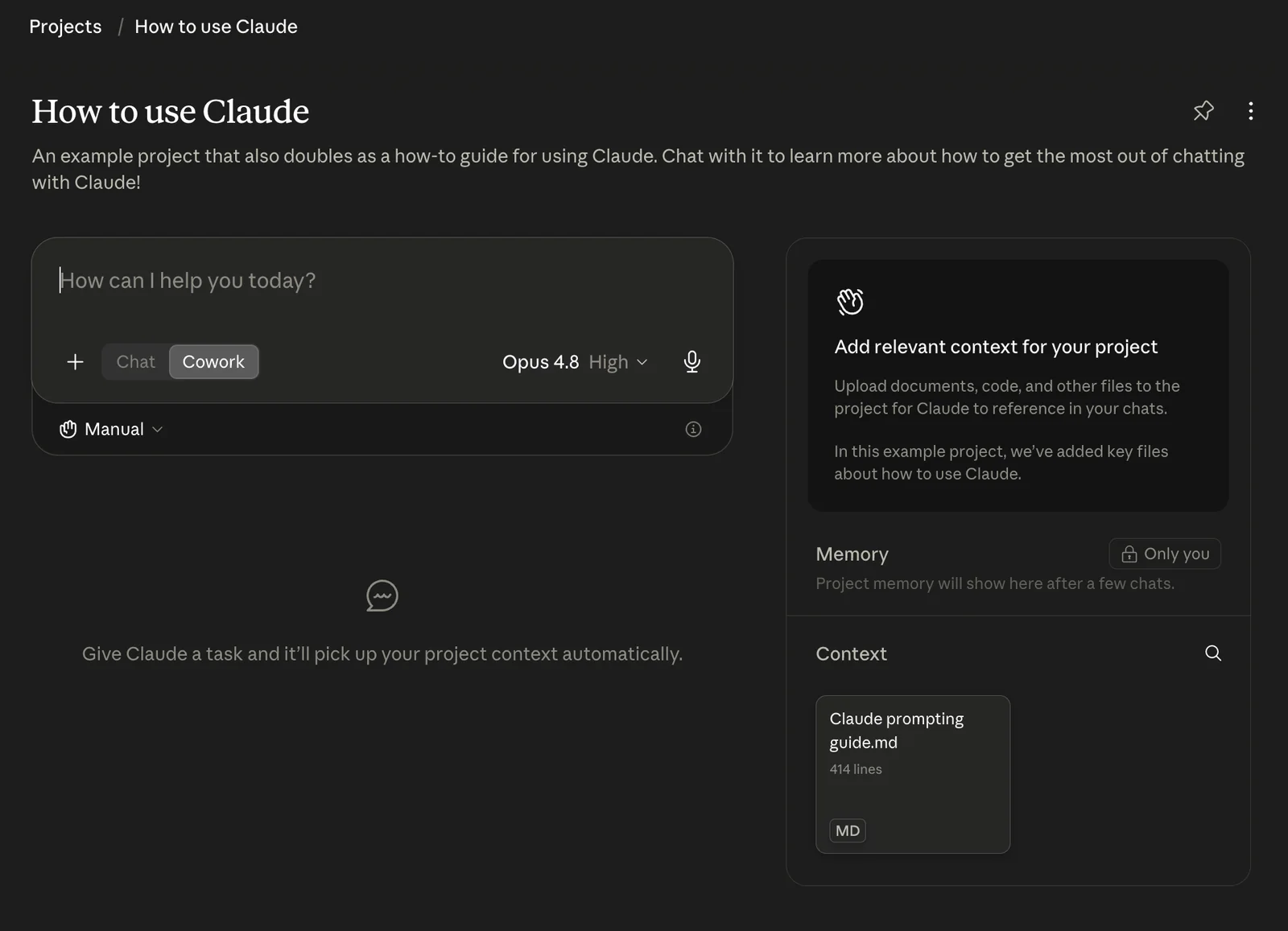
A project keeps one stream of work together: its own files, links, instructions, and its own memory. That word “own” is the whole point.
A project’s memory stays inside that project. What Claude picks up in one does not carry into another, or into a one-off session.
So a project is where Cowork works with the background of that one job in front of it. There is also a lighter version for local work, called folder instructions, standing notes tied to a folder on your computer.
Building block 3: skills
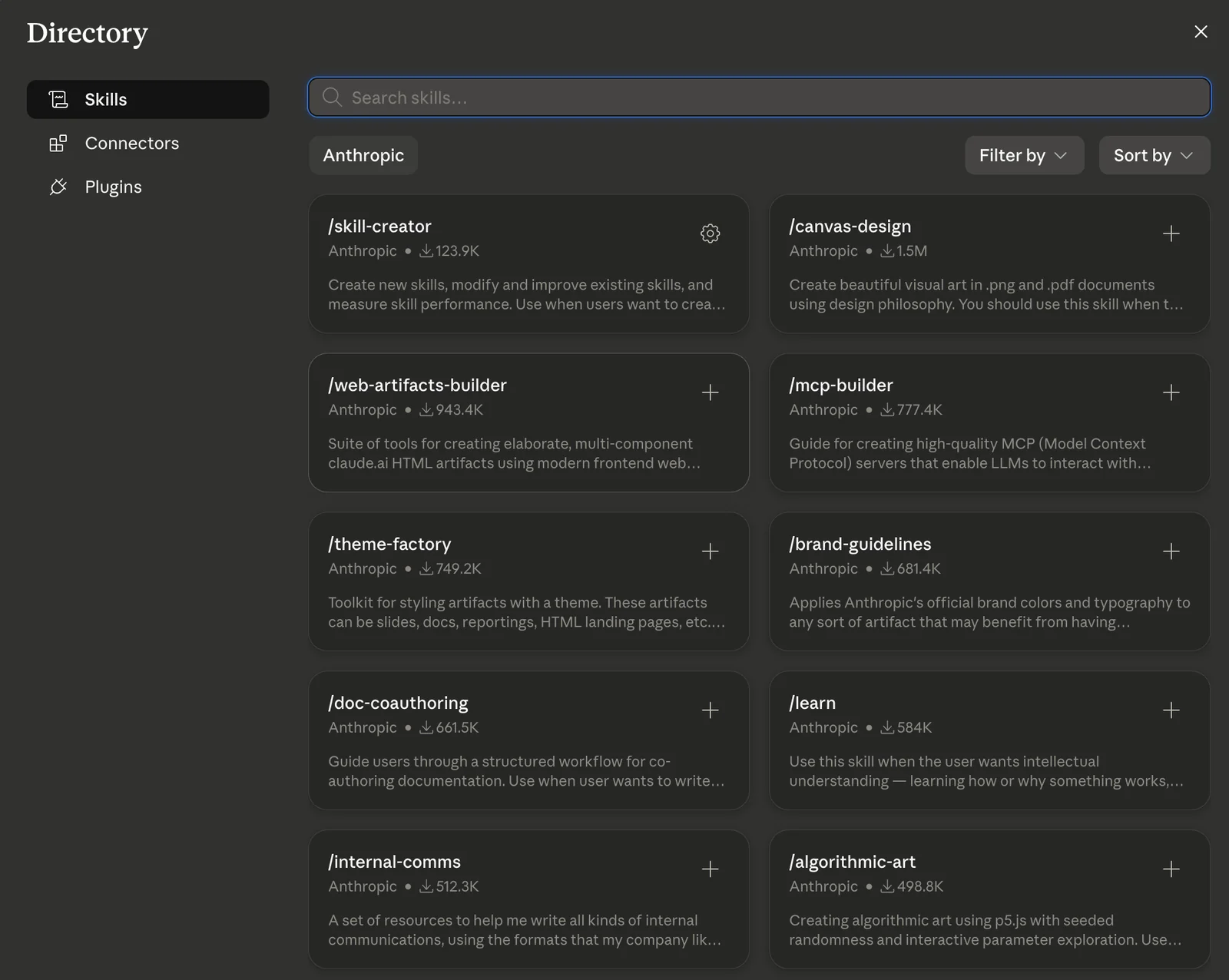
A skill is a saved procedure: your steps, your templates, your standards for a specific kind of task. You add the ones you want from the directory, and Claude pulls a skill in when it decides a task matches.
That makes a repeated job come out more consistent. It does not guarantee an identical result, so test a new skill on a few real examples before you trust it.
A simple skill needs no code, just written instructions. More involved ones can include files and scripts.
Building block 4: plugins
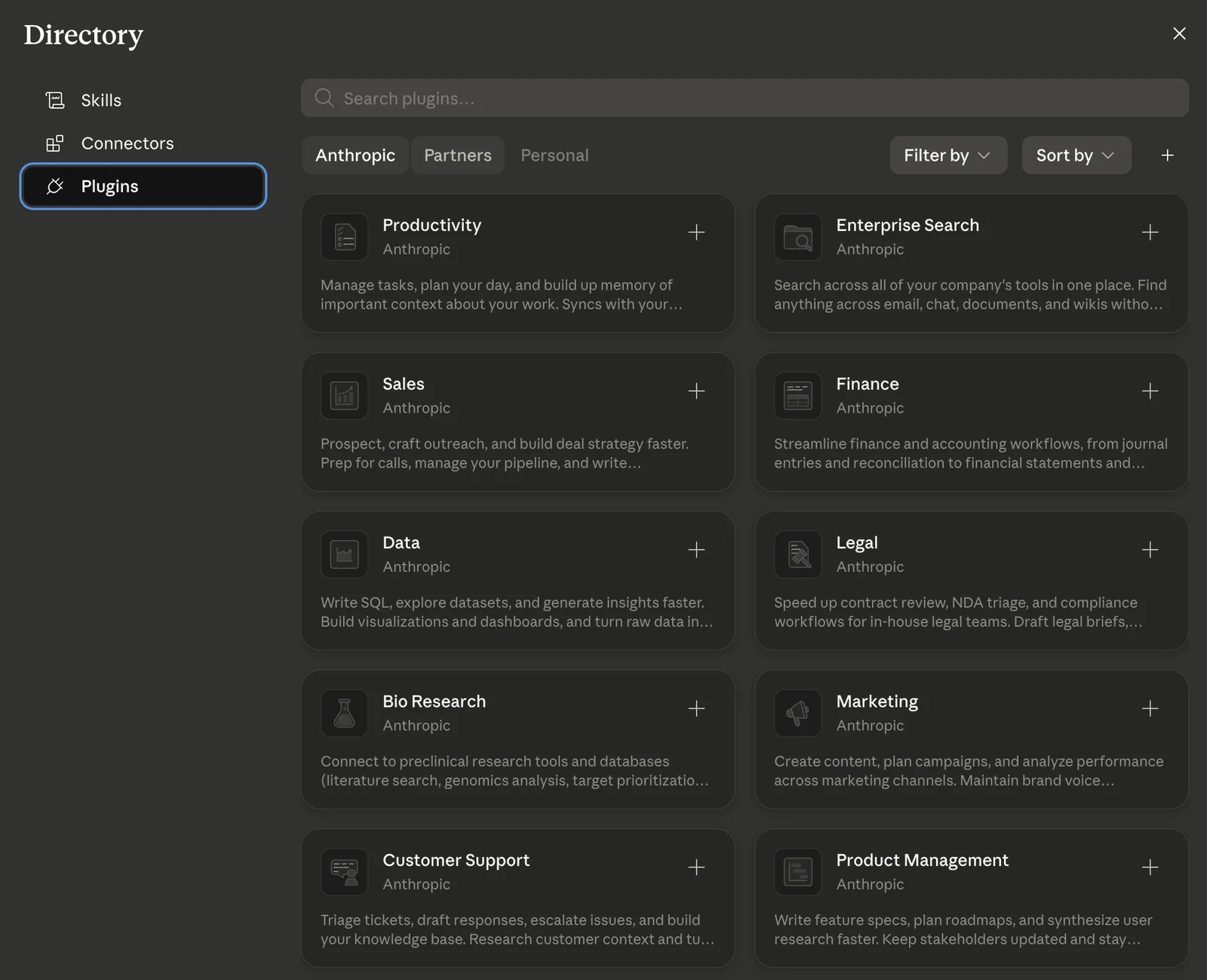
A plugin is a bundle. It can pack several skills together with the connectors and helpers a whole role needs, so Cowork moves from generalist toward specialist for that kind of work.
Think a Marketing plugin or a Sales plugin, a ready-made setup for a seat. It is also the block to be careful with.
Installing one can switch on a lot at once, so check who built it and what it connects to before you turn it on. You can add one from the directory, or build your own to share.
Each one works at a different level
Notice the pattern. Global instructions touch every session.
A project holds one stream of work. A skill fires on a matching task.
A plugin loads a whole role’s toolkit. They stack, but more is not automatically better.
Old or conflicting instructions can drag results down, and a plugin widens what Claude can reach. So aim for the smallest bit of accurate, current context that gets the job done, and tidy it up as your work changes.
You do not build all four on day one
Here is the honest version, because it is how it actually went for me. You start with none of these.
You just use Cowork. Then the blocks reveal themselves.
You notice you keep telling Claude the same thing about your business, so you write it down once as a global instruction. A stream of work gets big enough that it deserves its own project, with its own files and memory.
You catch yourself walking Claude through the same procedure for the third time, and that is your first skill, staring you in the face. And when a whole role needs several skills plus the right tools working together, that is a plugin.
That last one is not hypothetical for me. I ended up bundling my own skills into a plugin because I got tired of re-explaining the same steps to Claude over and over.
I did not plan it on day one. The need showed up, and the building block was there waiting for it.
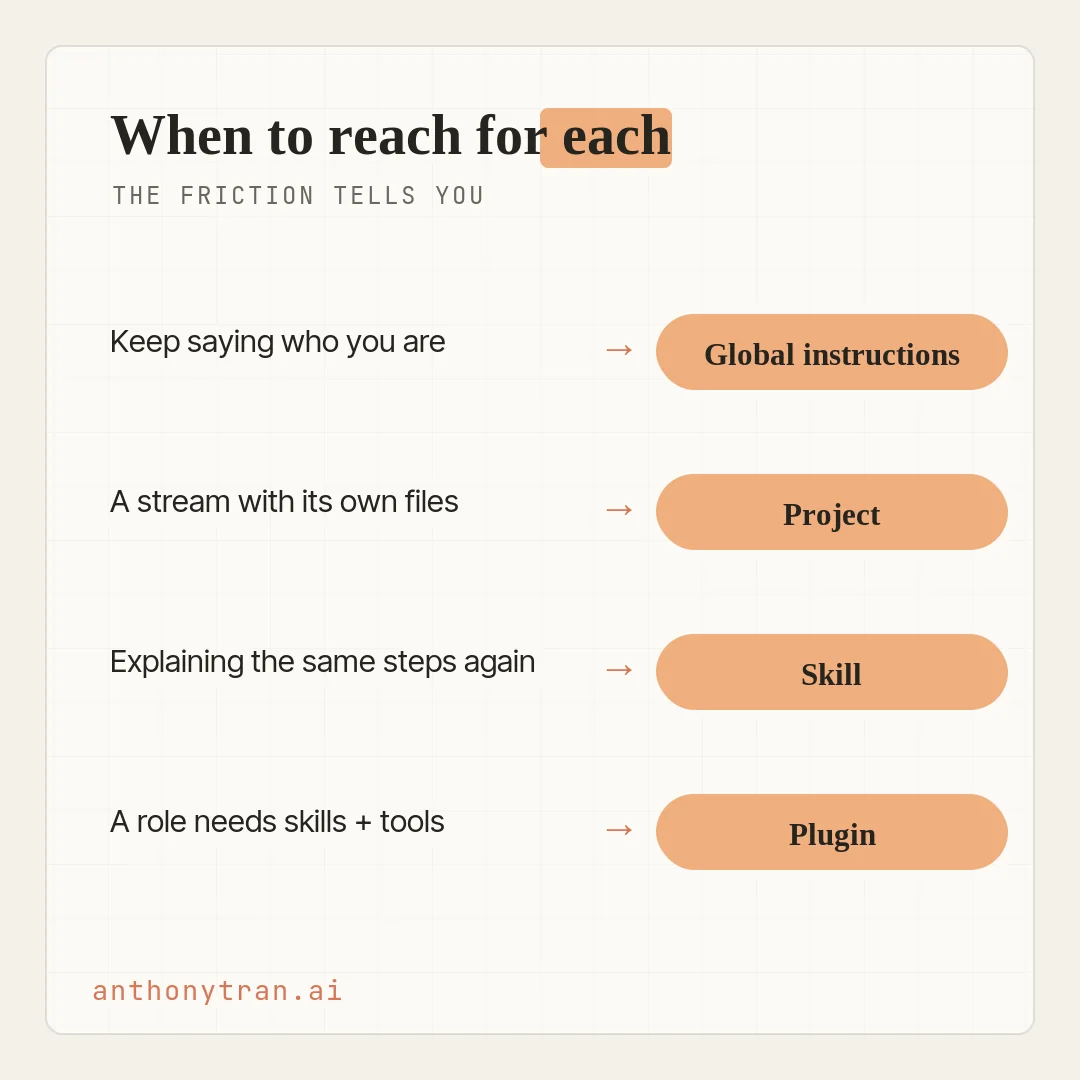
That is the whole trick. You do not sit down and architect all of this. You let the friction tell you which block you need next.
Put This Into Practice
Start with the one most people set up first: global instructions. It is the fastest win, because it makes every session a little better from then on. Here is a prompt to draft yours.
Help me draft short global instructions for Claude Cowork. Ask me a few questions about my role, my business, who I serve, how I like things written, and anything I keep repeating to you across different tasks. Then draft a short set of standing instructions I can paste into Settings. Keep out anything that only belongs to one project, and never include passwords or confidential client details. If something is really project-specific, list it separately so I can add it to that project instead.
Keep it plain. I am not a developer.
Paste the result into Settings, then try it on two or three different tasks. If it helps one but gets in the way of another, trim it. That is the compounding effect, in the smallest possible dose.
Let the friction lead
So here is where I land. Cowork gets better at your work in four layers: global instructions, projects, skills, and plugins. Each one hands it reusable context at a different scope, and together they turn a generalist into something that works like it knows the job.
You do not need all four today. Start with global instructions this week, and let the rest show up when the same annoyance hits you twice.
That is the signal. Your setup does not improve on its own, but it gets more useful every time you catch one of those moments and turn it into a block.
~ Anthony
Frequently asked.
How do you make Claude Cowork better at your work?
You give it accurate, reusable context at the right scope. Four building blocks do that: global instructions (standing context for every session), projects (files and memory for one stream of work), skills (a saved procedure for a matching task), and plugins (a bundle of skills and tools for a whole role). Cowork does not automatically learn everything from your standalone sessions, so you set these up on purpose.
What are Claude Cowork global instructions?
Global instructions are standing notes you set once in Settings that apply to every Cowork session. They are best for stable things like your role, your business, and how you like work formatted. Keep project-only details in the project, and keep passwords and confidential information out of them entirely.
When should you build a Claude skill?
When you catch yourself walking Claude through the same procedure more than once. A skill saves your steps, templates, and standards, and Claude pulls it in when a task matches, so the job comes out more consistent. A simple skill needs no code, just written instructions, and you should test a new one on a few real examples.
What is the difference between a Claude skill and a plugin?
A skill teaches Claude one repeatable procedure. A plugin is a bundle that can pack several skills together with the connectors and helpers a whole role needs. Use a skill for a single process you repeat, and a plugin when a role or workflow needs a bunch of pieces working together. Review what a plugin connects to before you install it.
Stop re-explaining yourself to Claude.
Grab the free AI Starter Kit: my exact Claude setup, so it knows your business. Plus the lessons as they land.
Anthony Tran
13 years in marketing and an Air Force veteran. I use Claude every day to market and grow my own business, and I break down what works in plain English. Writing and recording from Arizona.