
A skill teaches Claude one job. A plugin bundles a whole stack of them, plus the tools they need, into a single install. It is how an entire way of working stops living in your head and becomes something you can hand off in one click.
What is a Claude plugin?
Think back to skills. A skill is one playbook for one kind of task.
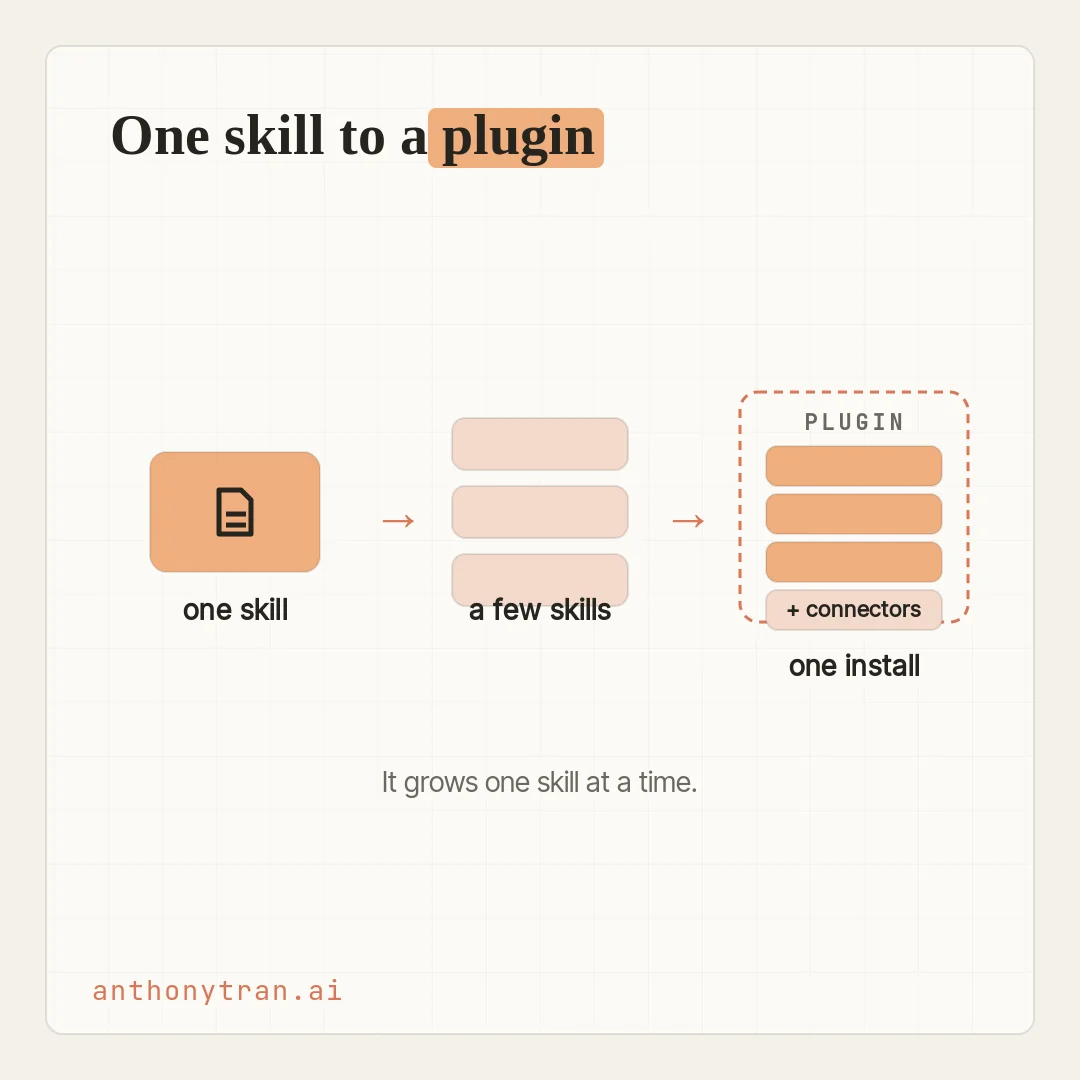
A plugin is the next level up: it bundles several skills together, plus the connectors they lean on, all built around a whole job. Install it, and Claude picks up that entire way of working in one go, instead of one task at a time.
That is the real trick of a plugin. The way of working travels with the install, not with the person who figured it out.
Hand someone a finance plugin and Claude has your finance playbook to work from. Hand them a legal plugin and it has your contract steps in hand.
It is a consistent starting point, not a guarantee, so you still check what it hands back. And it is not just for teams.
For a solo operator like me, a plugin is how you package your own hard-won way of doing things into one thing you can reuse or pass on.
Sometimes a plugin also carries a sub-agent or two. That is just a helper Claude can call on to handle one slice of a bigger job on its own, like a research helper for the research step.
You do not set those up yourself. They come along inside the plugin, and Claude uses them when a task calls for it.
This is the last of the four building blocks from an earlier lesson, and it sits right on top of skills.
Two shapes a plugin takes
Plugins tend to take one of two shapes. These are not official categories, just two handy ways to picture how skills get bundled.
Shape 1: a whole process, start to finish. When a job runs in steps, you package a skill for each step. A monthly-close plugin might hold one skill to pull the numbers, one to build the variance table, and one to draft the board memo. One thing to know: bundling puts the pieces in one place, but it does not automatically run them in order. To make them go as one flow, the plugin also needs a command or a lead skill that says which runs when. That part you set up.
Shape 2: your most-used skills in one place. Sometimes the skills are not steps in a chain, they are just the jobs you reach for most. A finance plugin might bundle variance analysis, financial modeling, and quarterly reports. They do not depend on each other. Bundling them means one install hands over the whole toolkit.
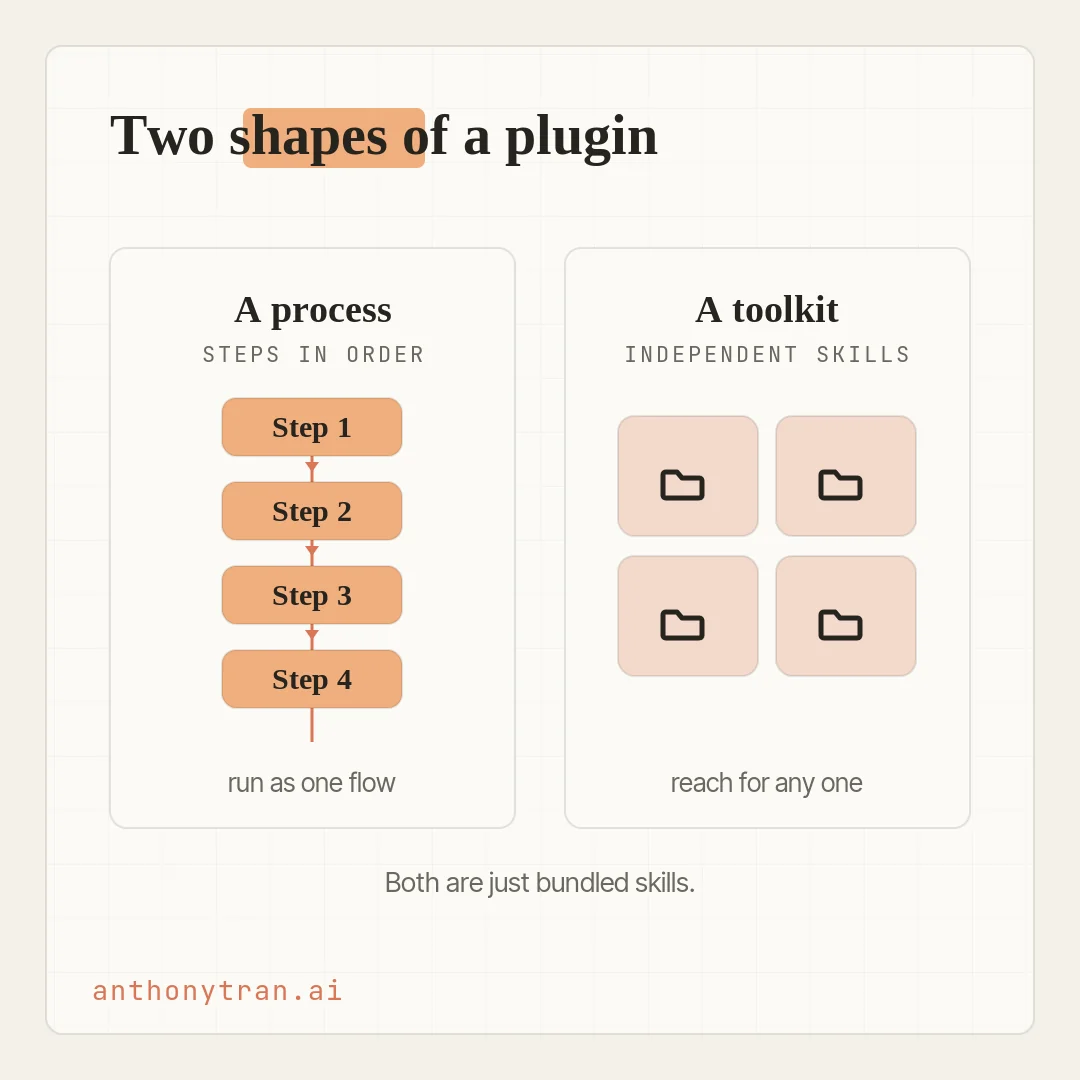
Either way, the thing to hold onto is this: a plugin is built around a workflow. “Renewal prep for customer success” is a plugin.
“The monthly board cycle” is a plugin. It is a job, packaged.
Three ways to get one
You do not have to build a plugin to use one. There are three doors in, from easiest to most custom.
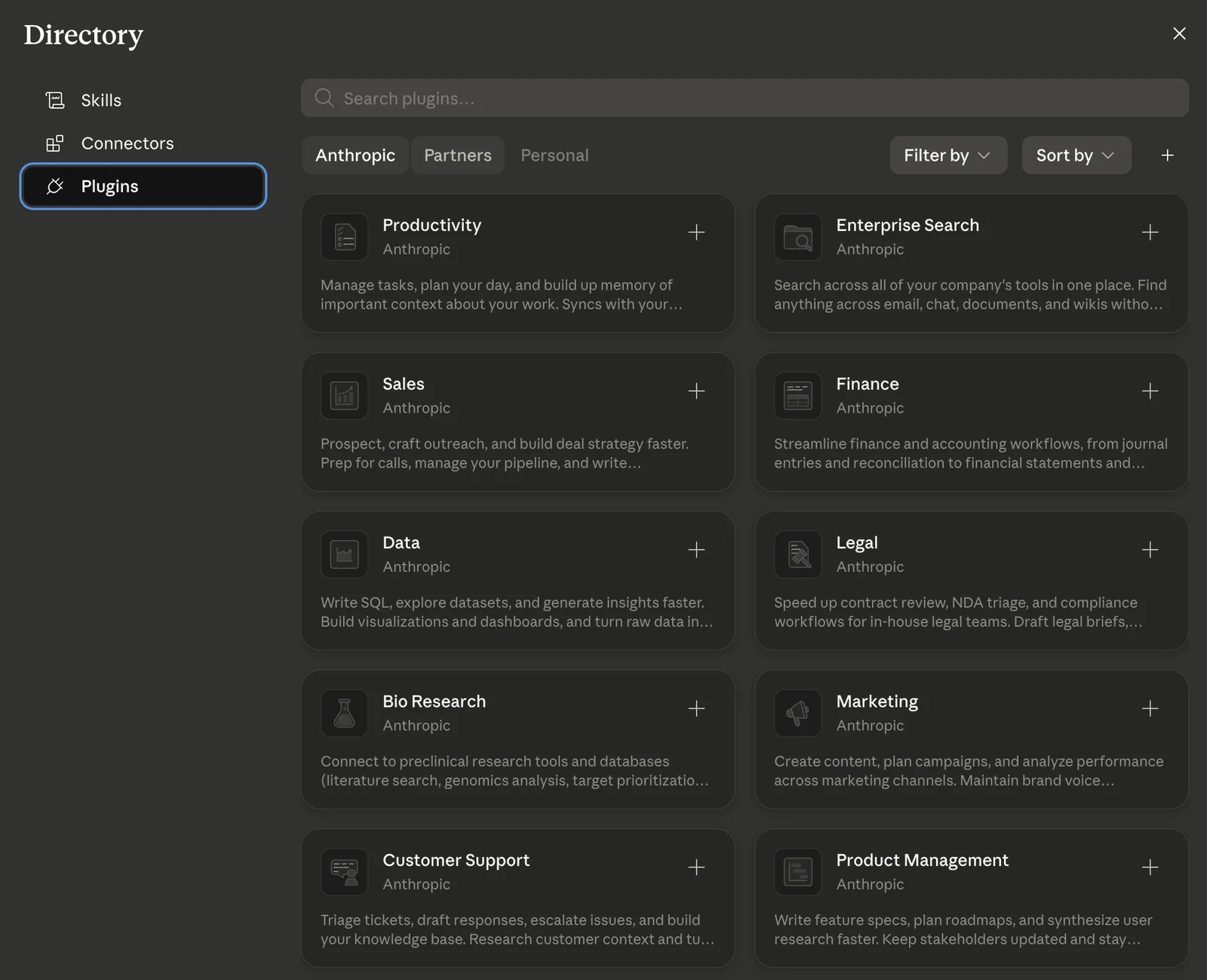
- Install one off the shelf. Anthropic publishes plugins for common roles: finance, legal, sales, marketing, customer support, and more. In Cowork, open the plugins directory under Customize. Before you install anything, look at what is inside: which skills, what it wants access to, who made it. Then install it and switch on only the connectors you actually need, which is a separate step and may need your admin’s okay. Try it on low-stakes work first.
- Customize it to fit you. A marketplace plugin is a strong starting point, not the final word. Its skills use a generic version of the workflow, but your templates and steps are your own. Open the installed plugin, hit Customize, and it opens a Cowork task where you hand Claude your real examples (“here are our last three NDAs, make the format match these”). Claude rewrites the plugin’s files, shows you what changed, and you save the customized version.
- Build your own. If nothing fits, you build one with Cowork and it bundles the skills and connectors for you. Most people start small, one skill for the most repetitive task, then another. Once you have a few related skills that lean on the same tools and standards, they are worth bundling into one.
How I actually use plugins
Let me be honest about my own path, because it might surprise you. I looked at all the plugins Anthropic publishes, and I install none of them.
Here is why. A plugin is a basket of skills.
If a basket holds ten skills and I only need two, installing it just piles eight things I will never use into my setup. And with someone else’s skills, I cannot fully see what is under the hood, what it is actually telling Claude to do.
So my rule is simple: I use my own skills, and I only borrow an outside one after I have read exactly what it does, had Claude read it too, and decided it is genuinely better than something I could build myself.
The one plugin I do use is my own, and it grew one skill at a time. I built one skill because I was tired of re-explaining a task.
Then another. Then a whole handful.
Eventually I bundled them into a single plugin, and not to share them. I did it to keep things lean.
Each skill had been carrying the same base setup on its own, so putting them under one roof let them share a common foundation and install as one thing instead of a dozen loose pieces.
So if building a plugin sounds like a lot, do not worry about it. You almost never start there.
You let your skills pile up from real work, and one day you notice they belong together. And whichever path you take, install, customize, or grow your own, one rule holds the whole time: a plugin runs your workflow, but the work it hands back is still yours to check.
Put This Into Practice
The fastest way to see this is to let Claude point you at a plugin that fits your work. In a new Cowork conversation, type this.
/setup-cowork
It kicks off a short interview about the kind of work you do, then suggests a plugin that fits. Before you lean on it, connect only the tools it truly needs, run one of its skills on something low-stakes, and check the result against your own work.
If it is close but not quite yours, customize it with a couple of your real examples. That is the whole loop, in one sitting.
Your way of working, in one install
So here is where this lands. A plugin is how a whole workflow, several skills and the tools they need, becomes one thing you can install, hand off, or reuse.
A skill takes one task off your plate. A plugin takes a whole job.
You do not need to build one this week. Install a role plugin and feel what it does, or just keep building skills from your real work and let them grow into one. Either way, you are doing the same thing: taking the way you work out of your head and turning it into something Cowork can run.
~ Anthony
Frequently asked.
What is a Claude plugin?
A plugin is a bundle. Where a skill is one playbook, a plugin packs several skills together with the connectors they need, and sometimes helper subagents, all built around a job. Install it and Claude picks up that whole workflow at once. It still does the work on your say-so, and the output is yours to review.
What is the difference between a Claude skill and a plugin?
A skill teaches Claude one repeatable task. A plugin bundles several skills, plus the connectors and helpers a whole role or workflow needs, into one installable package. Reach for a skill when it is a single process you repeat, and a plugin when a whole job needs a bunch of pieces working together.
How do you install a Claude plugin?
In Cowork, open the plugins directory under Customize and find one that matches your work. Before you install, look at the skills it includes and what it wants access to. After you install it, you switch on and sign in to the connectors you want as a separate step, and on a team your admin may control some of them. Try it on low-stakes work before you trust it.
Can you build your own Claude plugin?
Yes, and you build it by working with Cowork, which bundles the skills a workflow needs along with their connectors. Most people start small with one skill for the most repetitive task, then add another. Once you have a few related skills that lean on the same tools and standards, they are worth bundling into one.
Stop re-explaining yourself to Claude.
Grab the free AI Starter Kit: my exact Claude setup, so it knows your business. Plus the lessons as they land.
Anthony Tran
13 years in marketing and an Air Force veteran. I use Claude every day to market and grow my own business, and I break down what works in plain English. Writing and recording from Arizona.