
You built a skill. Does it actually work when the request is phrased a little differently, or the inputs are messy? A quick test-drive, called an eval, tells you before you rely on it or hand it to anyone else.
Why test a skill at all?
When you build a skill, you know how to work around its quirks. You know exactly what to ask it, what files to hand it, and what a good answer looks like.
Anyone else, including future you, has none of that. They phrase the request a little differently, hand it slightly different inputs, or hit an edge case, and the skill stumbles in a way they cannot explain.
Testing a skill is how you catch those stumbles before someone else does. The tool for it is called an eval, short for evaluation, and I know that word sounds technical.
It is not. An eval is just a test-drive: a realistic request goes in, you look at what comes out, and you tell Claude what to fix.
You do not have to write any code or build the testing yourself, skill-creator handles that part. You just judge whether the result is good enough to put your name on.
One quick note on the word “trust” in the title. This lesson is about trusting a skill’s results.
Trusting a skill someone else built is a separate job, checking its instructions and any scripts before you turn it on, which we covered back in the skills and safety lessons. Here, we are testing the output.
If you have not built a skill yet, build one first, then come back to test it.
How the test works
If you built your skill with skill-creator, it walks you through this as part of the process. Here is the clever part.
It comes up with a couple of realistic prompts someone might use, and for each one it runs Claude with your skill and against a baseline, usually Claude without the skill. That comparison is the whole point.
You are not just asking “is this output okay,” you are asking “is this better than what Claude would have done on its own. If your skill is not beating the plain version, it is not earning its place.
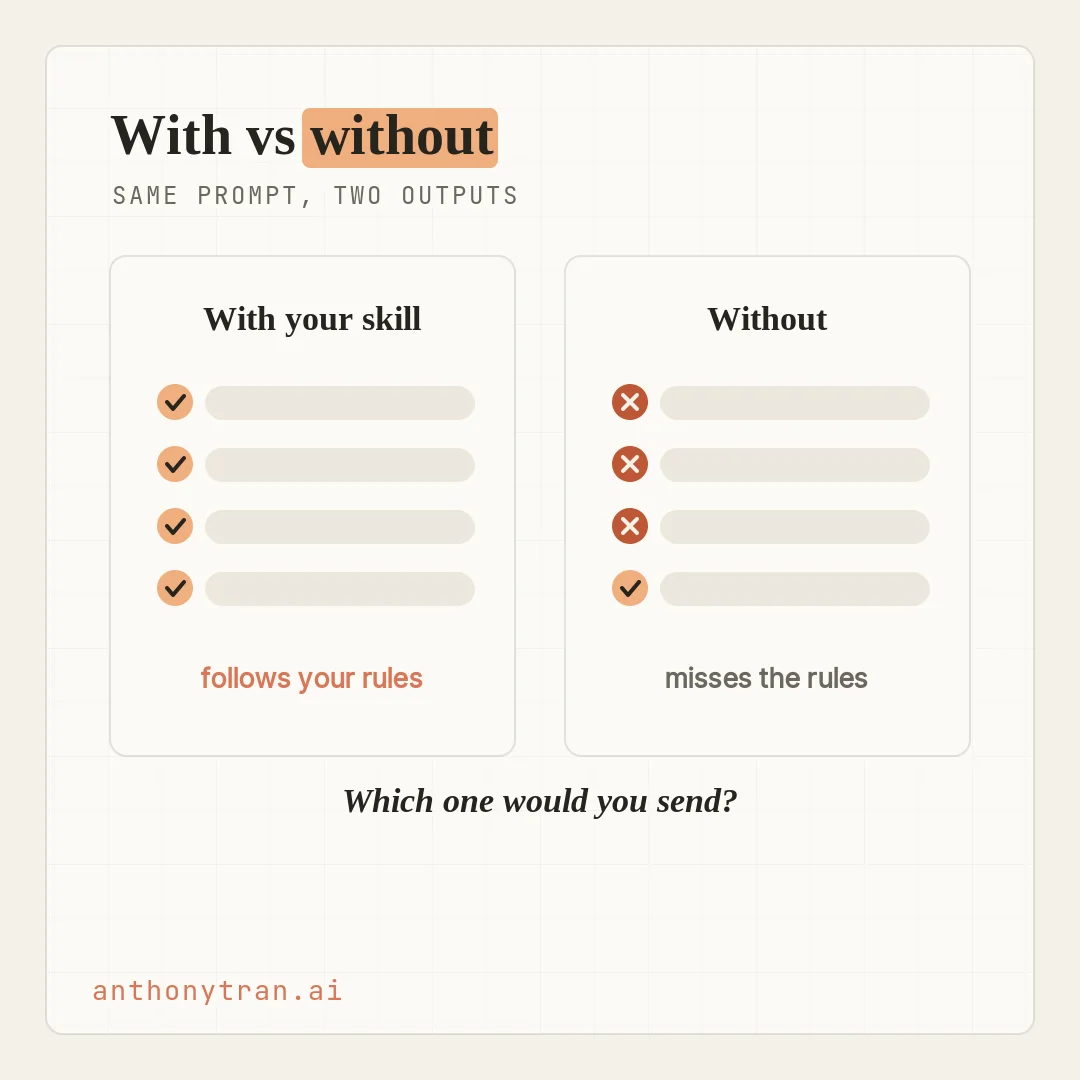
There are really two things to check, and a skill can pass one and fail the other. First, does Claude know when to use the skill?
Try a couple of differently worded requests that should set it off, plus one nearby request that should not. Second, when it does run, is the output any good?
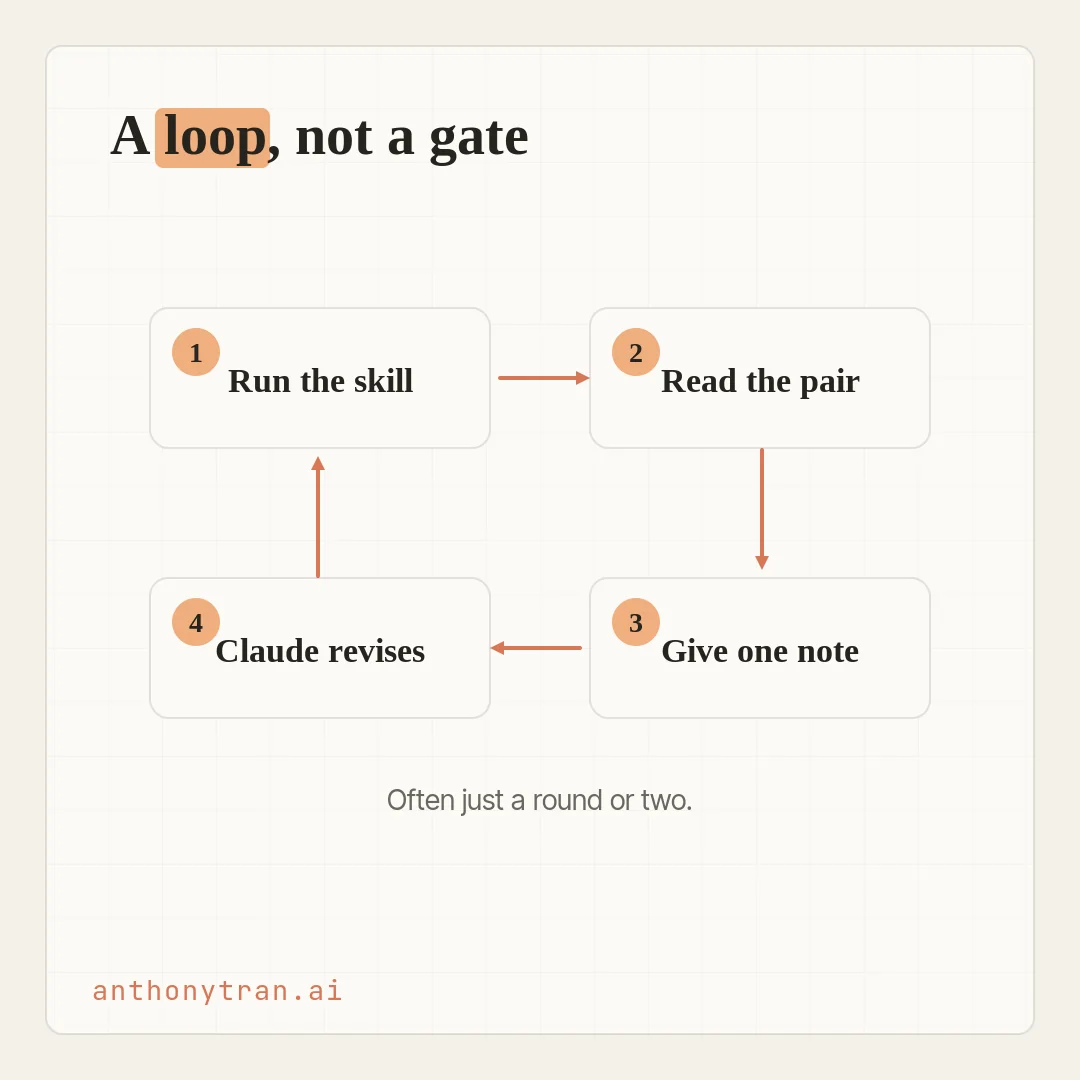
Read the pair and answer honestly: would I send the version with the skill? If yes, note what made it better, so the skill keeps doing that.
If not, what is off? Be specific.
“The tone is too formal” or “it skipped the summary” gives Claude something to act on. “This is not quite right” does not. Submit your notes, and Claude revises the skill for you.
It is a loop, not a gate
Your feedback is the fix. Claude rewrites the instructions, adjusts the examples, tightens what the skill asks for, and you run the same prompts again to see if the change stuck.
Keep each round focused. If a few problems share the same cause, fix them together.
Otherwise make one real change, re-run, and see if it helped, so you can tell what actually moved the needle. In my experience a focused skill settles down after a round or two, and something more involved, one that juggles files or a lot of edge cases, can take longer.
And here is the part that keeps this from feeling like homework. The goal is not a perfect score.
It is that the skill reliably wins on the cases you care about, or follows your process more faithfully than the plain version, and that you have named the cases it does not handle yet. If the outputs already look great on the first pass, you are done.
Evals are there for when you want confidence, not for ceremony.
How I actually do this
Let me be honest about my own version of this, because it is a little different from the formal eval. I do not always sit down and run a scored test.
I improve my skills in the work, as I go. Every time I use one and something is off, I ask Claude to update the skill so it handles it that way next time, and it edits and saves the skill, not just the one answer.
Do that enough and the skill quietly gets better, and it starts to sound more like me.
The proof is my blog-writing skill. It has helped me write around seventy articles now, and across all those runs I gave it a note almost every time.
This needs my voice. Do not use that word.
Lead with the story. By now the kinks are ironed out.
It follows my rules, it writes in my voice, and I barely edit it anymore. That informal loop has the same spirit as an eval: notice what missed, make the instruction clearer, try again.
What a structured eval adds is a fixed set of cases and a clean baseline, so you can tell whether a change really improved the skill or just looked good once. Both roads end in the same place: a skill you actually trust.
Put This Into Practice
Take a skill you already built and give it one honest test. Run it on a real request, then compare what it produced to what you would have written yourself.
Test my [skill name]. Start with this real request: [paste it]. Then make two more cases: a messier version of the request, and one nearby request the skill should not trigger on. Run each with the skill and without it, and tell me in plain terms what the skill improved, what it made worse, and whether it fired when it should. Ask me for one specific note, update the saved skill from it, and run the cases again so I can see if it stuck.
That is a real test, not a perfect one. Start with the one case today, and before you hand the skill to anyone else, add the messier version and the edge case. A few notes in, you have a skill you would happily hand to anyone.
That is the whole course
So here we are, the last lesson. You have gone from “what even is Cowork” all the way to building your own skills and testing them until you trust them. The through-line the whole way was simple: hand off the work, teach Cowork your way of doing it, and keep it safe while you do.
You do not need to master all of it this week. Pick one real task, hand it off, and let the rest grow from there, one skill and one habit at a time. That is exactly how I built everything I use now.
~ Anthony
Frequently asked.
What is an eval in Claude?
An eval is a lightweight test-drive of a skill. A realistic request goes in, you look at what comes out, and you tell Claude what to fix. No code and no test scripts, just your judgment about whether the result is good enough to put your name on. The skill-creator skill runs it by showing your skill's output next to what Claude produces without it.
How do you test a Claude skill?
Build or edit the skill with skill-creator, which writes a couple of realistic prompts and shows two outputs for each: one with your skill, one without. Pick the version you would actually send, and write one line of specific feedback ("too formal," "skipped the summary"). Claude revises the skill from your notes. Change one thing at a time and run it again.
When is a Claude skill good enough to use?
Not when the evals are perfect. It is ready when the cases you care about come out clearly better than the plain version, or the skill follows your process more faithfully, and you have named the cases it does not handle yet. A focused skill often gets there in a round or two of feedback; a more complex one can take longer. If it looks great on the first pass, you are done.
Stop re-explaining yourself to Claude.
Grab the free AI Starter Kit: my exact Claude setup, so it knows your business. Plus the lessons as they land.
Anthony Tran
13 years in marketing and an Air Force veteran. I use Claude every day to market and grow my own business, and I break down what works in plain English. Writing and recording from Arizona.