
You have already used Claude Skills without knowing it. They are how Claude turns your request into a finished spreadsheet or slide deck. Here is what they are, in plain English, and how to make your own, no code.
What are Claude Skills?
A Skill is a small package of instructions, and sometimes examples or files, that teaches Claude to do a specific job the same way every time. Think of it as an expertise pack you hand Claude: here is how we do this task, step by step.
And you have probably already used one. When Claude builds you an Excel sheet, a PowerPoint, a Word doc, or a PDF, a built-in Skill is doing that work behind the scenes.
The bigger win is that you can make your own. A custom Skill can lock in one of your repeatable workflows, like the way you check copy against your brand voice, or the exact steps in your monthly report, so Claude runs it the same careful way every time.
Most of this comes from Anthropic’s free Claude 101 course. I took it and put the useful parts in plain English, so you do not have to dig through all of it.
One thing up front. Skills work on every plan now, including the free one.
You turn on Code execution and file creation once, in Settings under Capabilities, and then your Skills live in the Customize tab. On a Team or Enterprise account, that setup is usually handled for you.
Two kinds of Skills
There are two kinds, and the difference is simple.
- Built-in Skills are made by Anthropic. They power Claude’s document creation and editing, the Excel, Word, PowerPoint, and PDF files it makes for you. They come with your account, and Claude uses them on its own. You do not have to do anything.
- Custom Skills are the ones you create for your own work. A Skill that applies your brand guidelines to a deck. A Skill that formats your meeting notes your way. A Skill that runs your reporting steps in order. This is where it gets useful for a business.
Skills vs Projects: the one line to remember
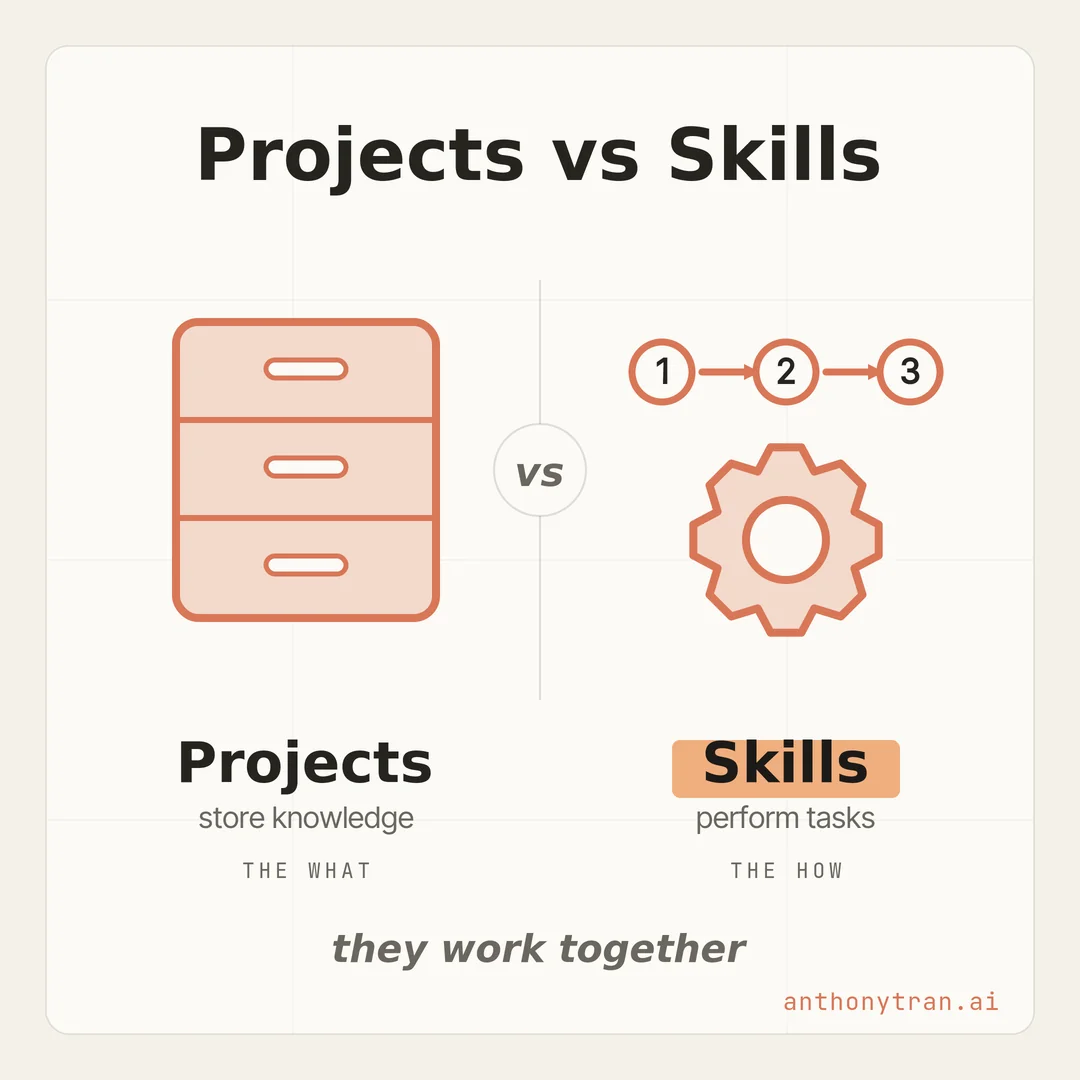
If you read the Projects lesson, you might be wondering how a Skill is any different. Here is the clean line: Projects store knowledge, Skills perform tasks.
A Project holds your context, your files, your reference material. It is the what.
A Skill holds a process, the steps you want Claude to follow to do a job. It is the how.
A Project is a filing cabinet Claude reads from. A Skill is a recipe Claude follows.
They work together, too. When you are working inside a Project, a Skill can use what is in that Project’s knowledge base.
Your “prep for a client call” Skill can read the customer notes sitting right there. The Project brings the information, the Skill brings the method.
You have already used Skills
Here is the part that surprises people. Every time Claude has handed you a real spreadsheet with working formulas, or a slide deck you could download, a Skill did that. It is the same engine behind the downloadable files in the Artifacts lesson.
Skills also let Claude work with your actual files, not just text in a chat. Upload a spreadsheet, a set of slides, or a contract, and Claude can crunch the numbers, build out the deck, or mark up the contract with suggested edits, then hand you a file to download.
One thing worth knowing: in a normal chat, Claude makes a new version of your file instead of changing your original. So your source stays safe while you get the updated copy.
How to make your own, just by talking
You do not write code to build a simple Skill. You talk to Claude, and it handles the technical part. Trust me, if you can describe how you do a task, you can make one.
Here is how it goes:
- Start a new chat and tell Claude what you want the Skill to do. Something like “I want a Skill for writing my monthly client update.”
- Answer its questions. Claude interviews you: what should this do, what does a good result look like, when would you use it.
- Hand it examples if you have them. A template, a style guide, a past piece you are proud of. This is what makes the Skill sound like you.
- Save it. Claude builds the Skill for you, and it shows up ready to go.
You will find your Skills in the Customize tab in the left sidebar, where you can edit them by hand or just by asking Claude to change them. From then on, Claude reaches for your Skill on its own whenever that task comes up. Once it is on, there is no button to press.
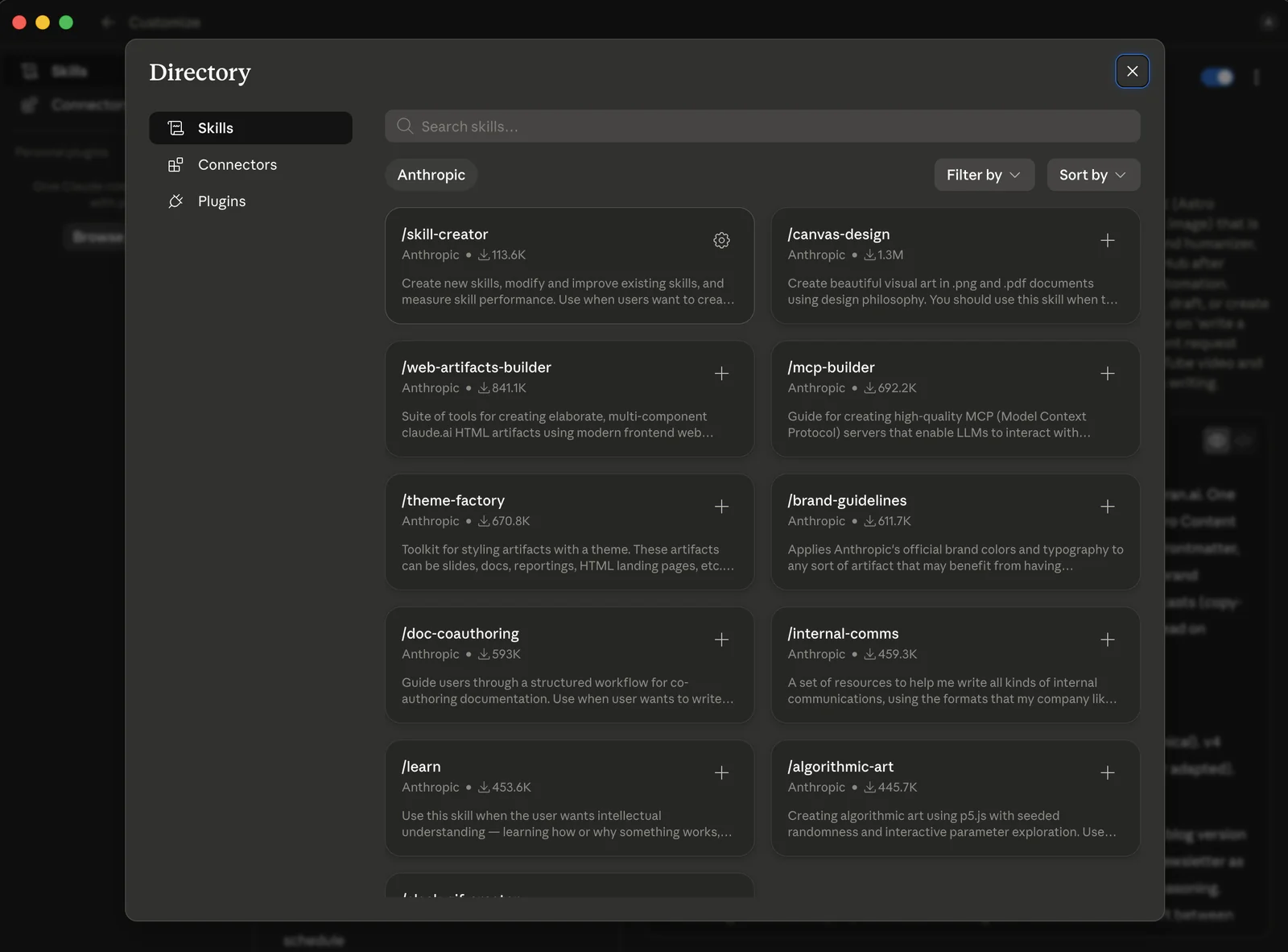
The Customize tab also has a Directory of ready-made Skills from Anthropic. Browse it, and you can add one with a click, everything from slide styling to a skill that helps you build more skills.
One quick word of caution
Skills can run real steps for you, so a little care goes a long way. Stick to the built-in Skills and the ones you make yourself.
On a personal plan, the Skills you make stay private to your account. A bad Skill from somewhere else could carry hidden instructions or try to send your information where it should not go.
So if it did not come from Anthropic, your own company, or someone you trust, look at what it does before you turn it on, the same way you would not run a random file a stranger emailed you.
Put This Into Practice
Pick one task you do the same way over and over, and turn it into a Skill. Open a chat and paste this in.
I want to create a Claude Skill for [the repeatable task, like writing my weekly customer email]. Interview me about how I do it now: the steps, what a good result looks like, and when I use it. Then build the Skill for me. I can upload an example I am happy with if that helps. Keep it simple, and after you build it, tell me how to use it.
Answer its questions, give it one good example, and you will have a Skill that does that job your way from now on.
The whole thing in one line
A Project stores what Claude should know. A Skill teaches Claude how to do a job, the same way every time, and you can build one just by talking. Go ahead and turn one repeatable task into a Skill this week, and let Claude carry it for you from here.
~ Anthony
Frequently asked.
What are Claude Skills?
A Skill is a small package of instructions, and sometimes examples or files, that teaches Claude to do a specific task the same way every time. Anthropic's built-in Skills already power Claude's Excel, PowerPoint, Word, and PDF file creation. You can also build custom Skills for your own repeatable workflows.
What is the difference between Claude Skills and Projects?
Projects store knowledge Claude references. Skills perform tasks Claude executes. A Project holds your files and context, the what. A Skill encodes a process Claude runs the same way every time, the how. They work together, and when you work inside a Project, a Skill can use that Project's knowledge.
How do you create a custom Claude Skill?
Start a chat and tell Claude what you want the Skill to do. It interviews you about your workflow, you can upload a template or example, and it builds the Skill for you, no code. You find and edit your Skills in the Customize tab, and Claude uses them automatically when the task comes up.
Stop re-explaining yourself to Claude.
Grab the free AI Starter Kit: my exact Claude setup, so it knows your business. Plus the lessons as they land.
Anthony Tran
13 years in marketing and an Air Force veteran. I use Claude every day to market and grow my own business, and I break down what works in plain English. Writing and recording from Arizona.